1.2GCC
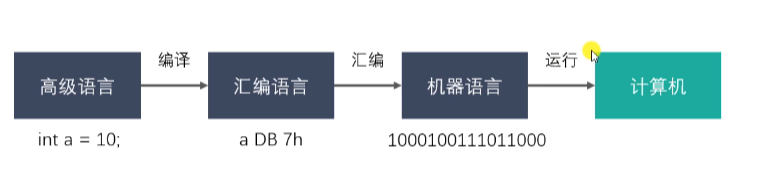
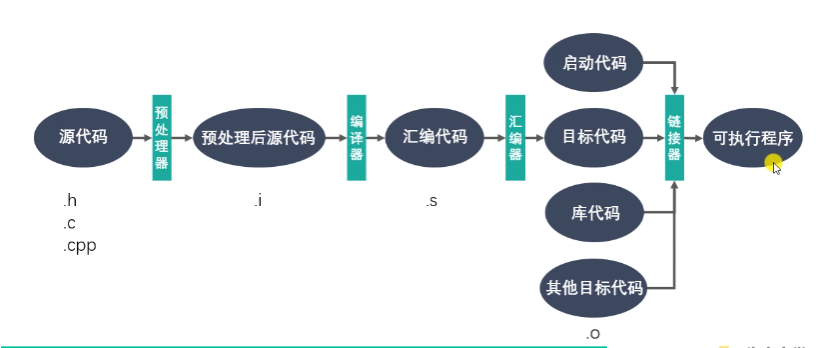
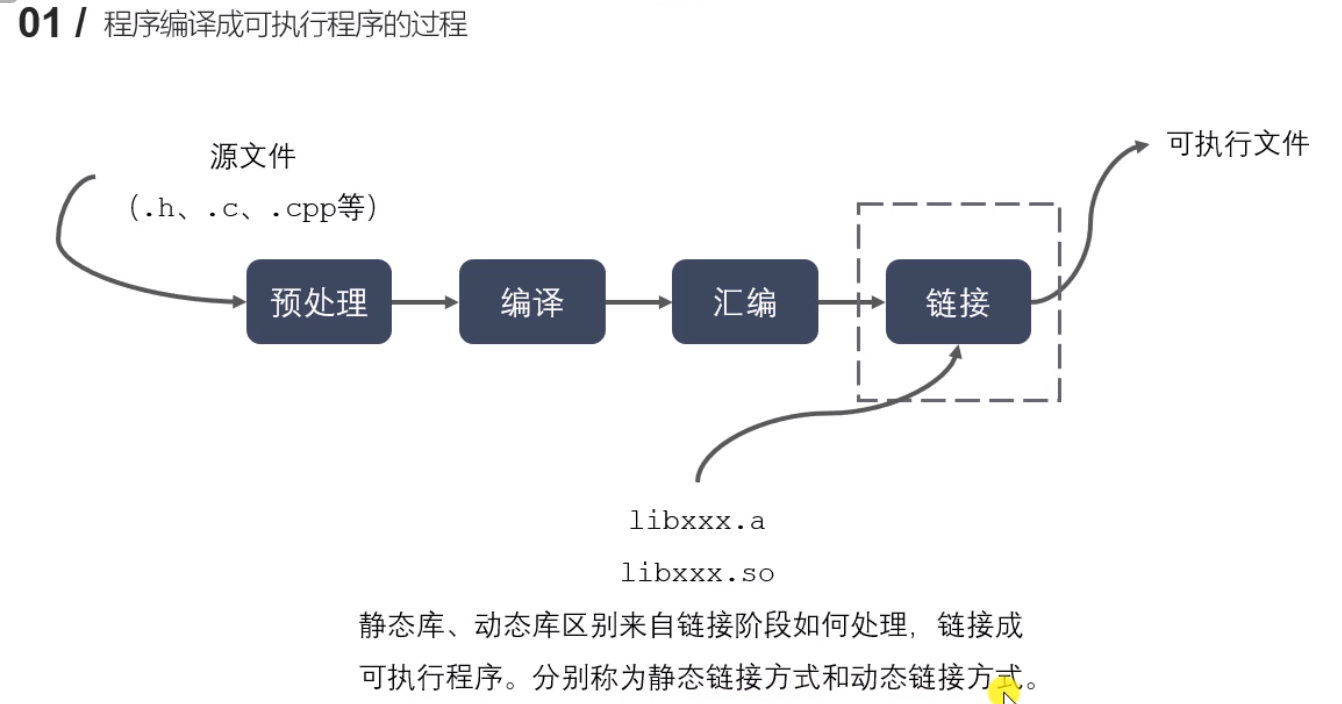
gcc test.c -E -o test.i 将源代码 经过预处理器 转换为预处理后源代码
gcc test.i -S -o test.s 将预处理后源代码 经过编译器 编译成汇编语言
gcc test.s -s -o test.o 将汇编语言 经过汇编器 汇编成目标代码(二进制文件)
./test.o 可以执行
gcc test.c -S 直接生成test.s
gcc test.c 直接生成a.out
gcc test.c -o test 生成可执行文件test
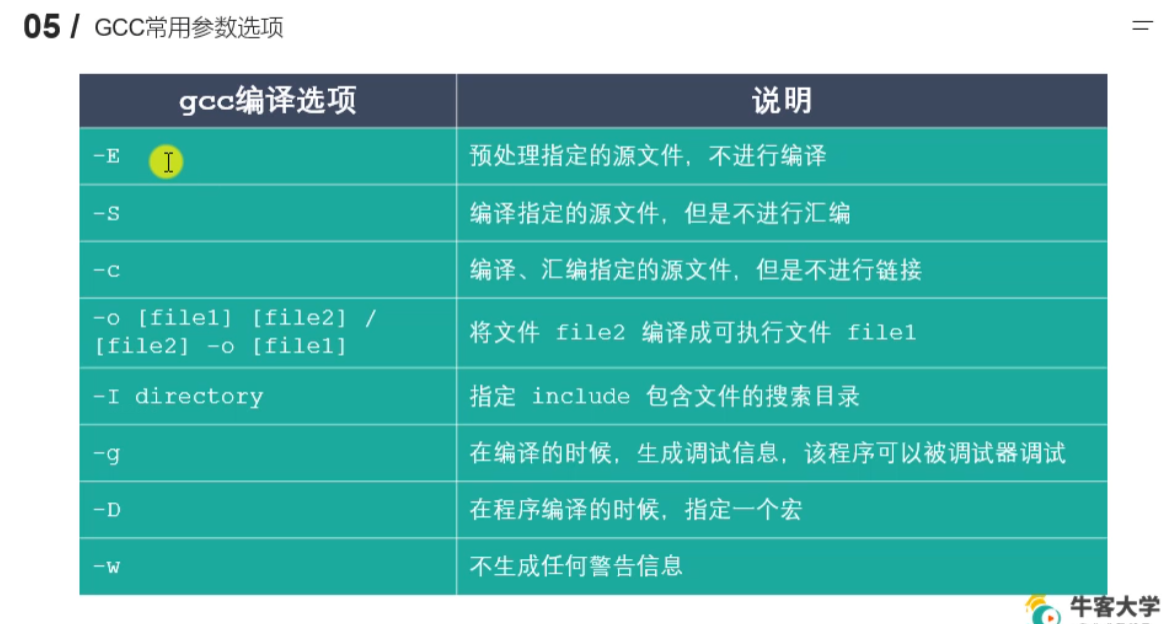
1.4 静态库的制作和使用
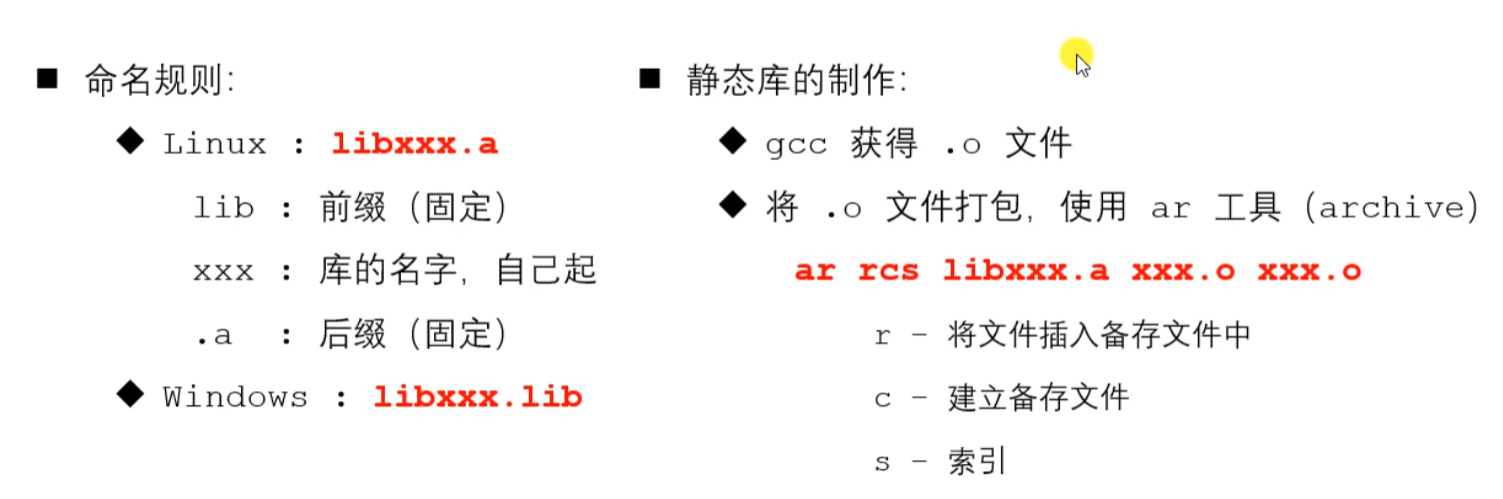
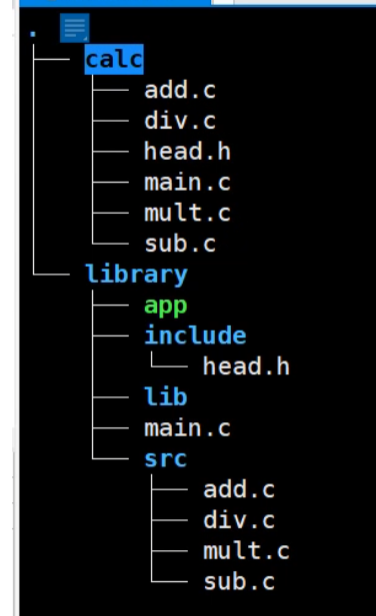
lesson04下面有calc和library
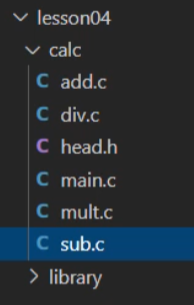
calc目录下
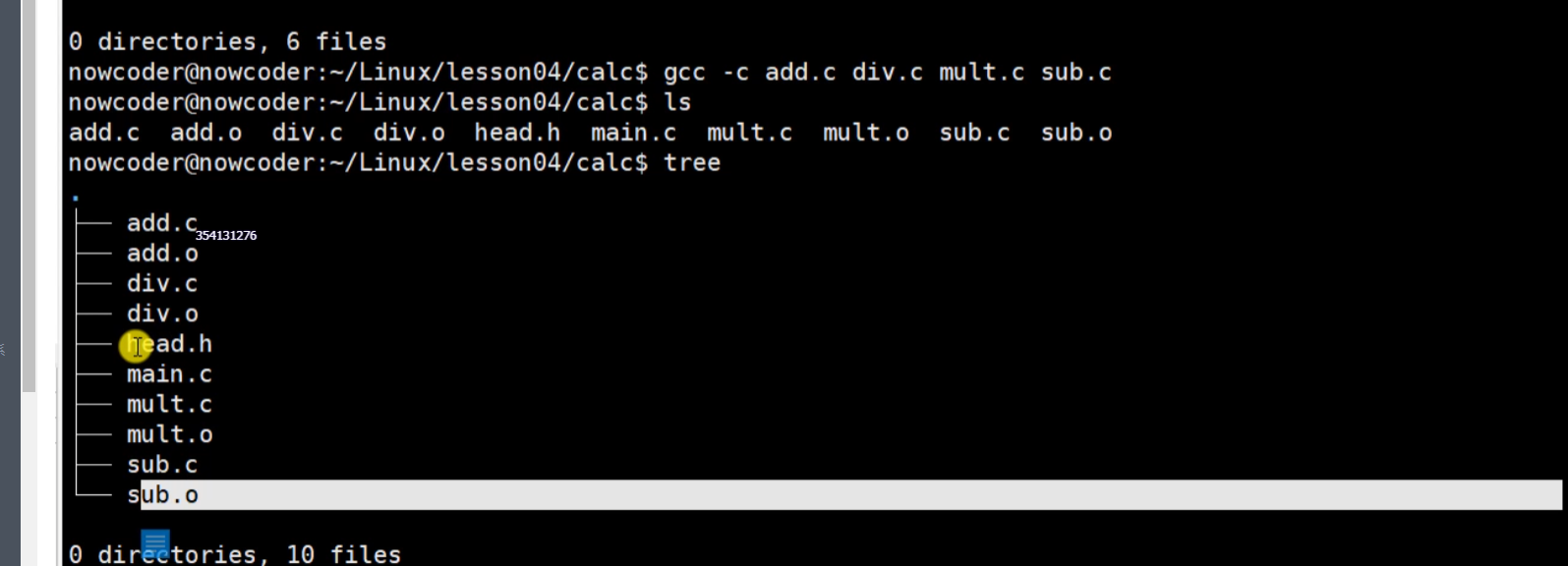

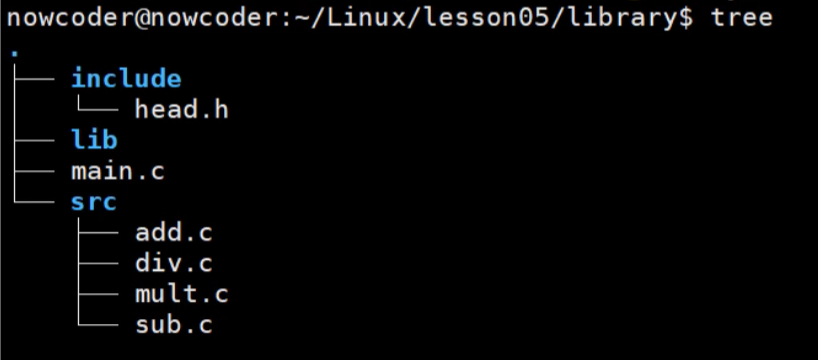
library目录下,文件基本同calc中文件
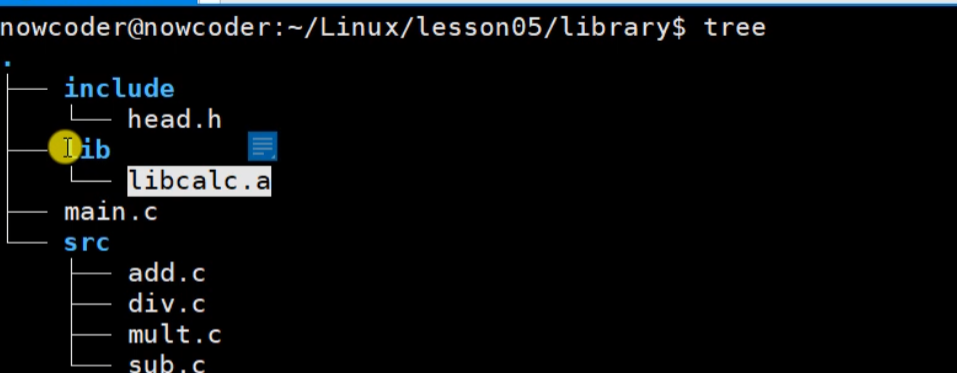
将静态库文件拷贝到library/lib下

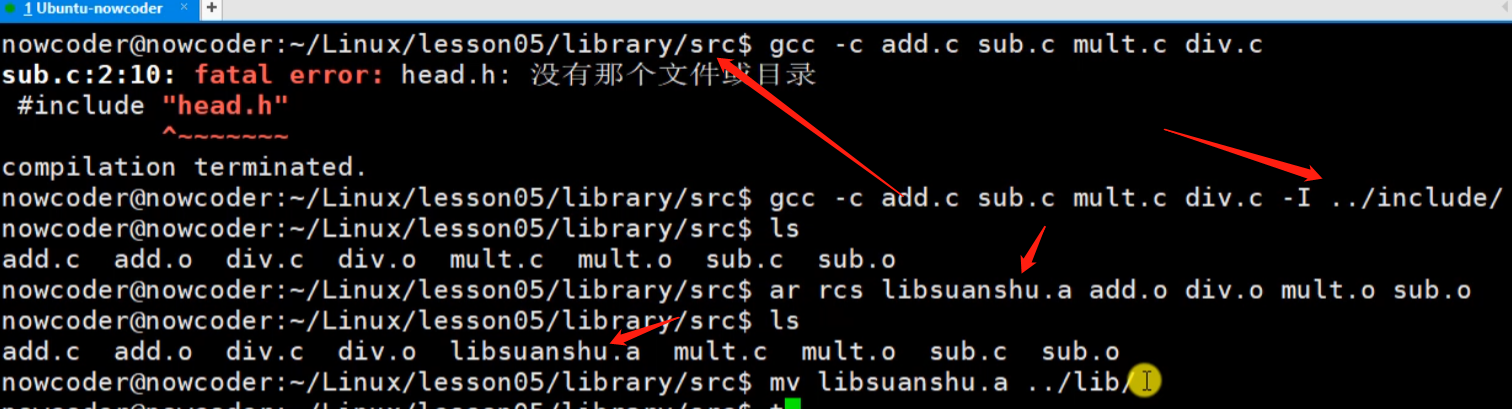
在main中使用库文件



或者在library/src文件夹下
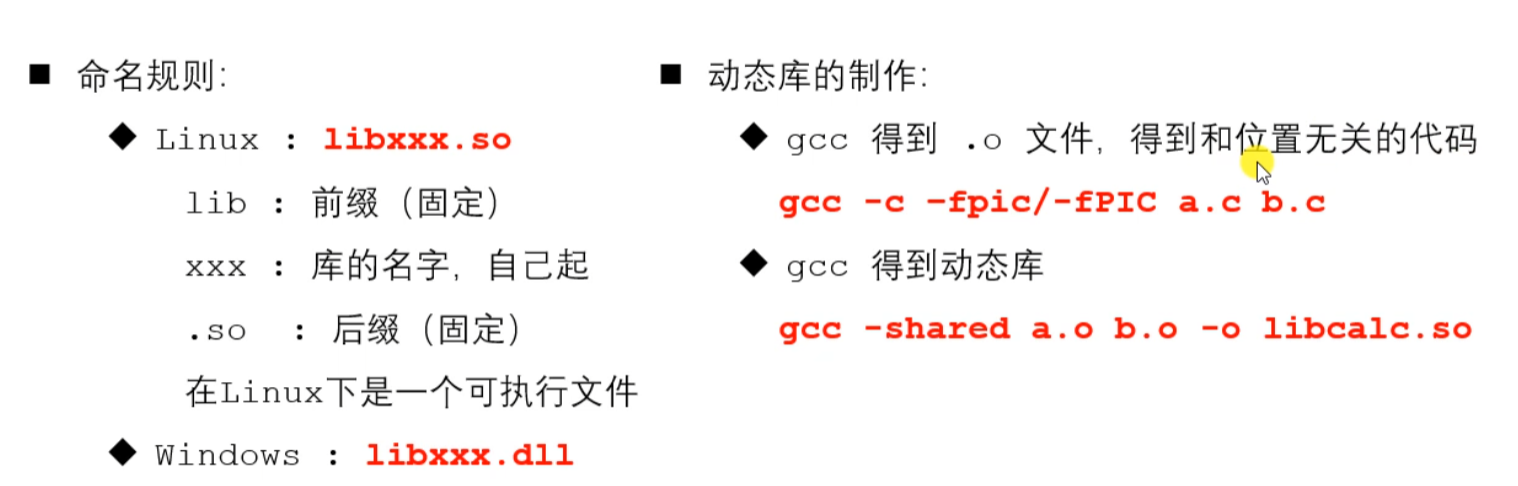
1.6 动态库的制作和使用
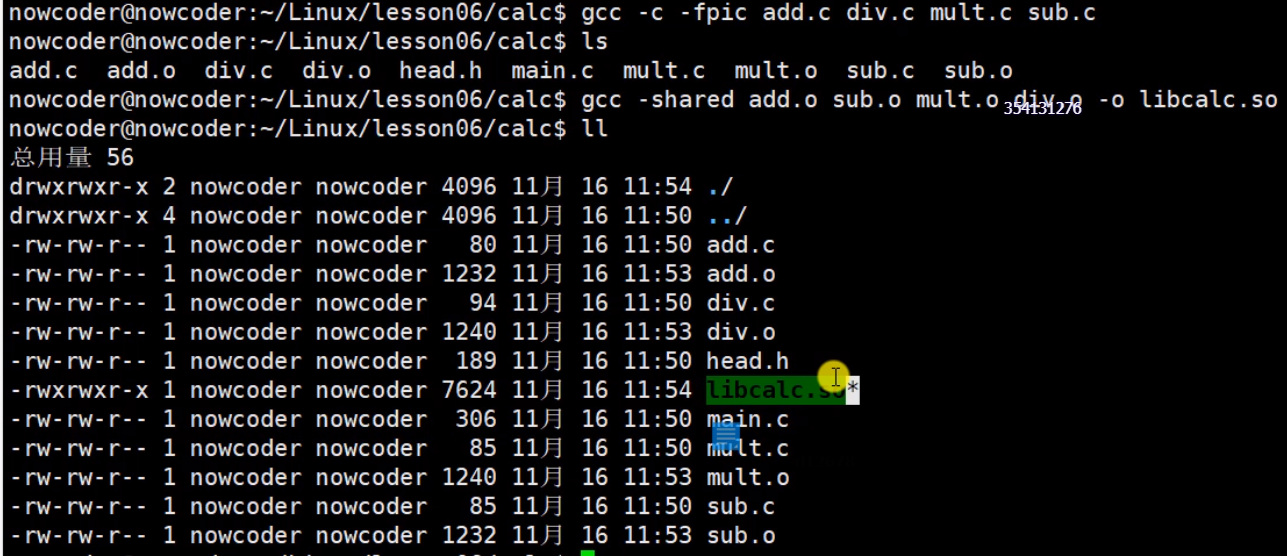

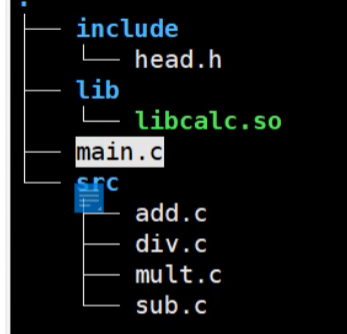


有问题, 需要动态库加载到内存当中
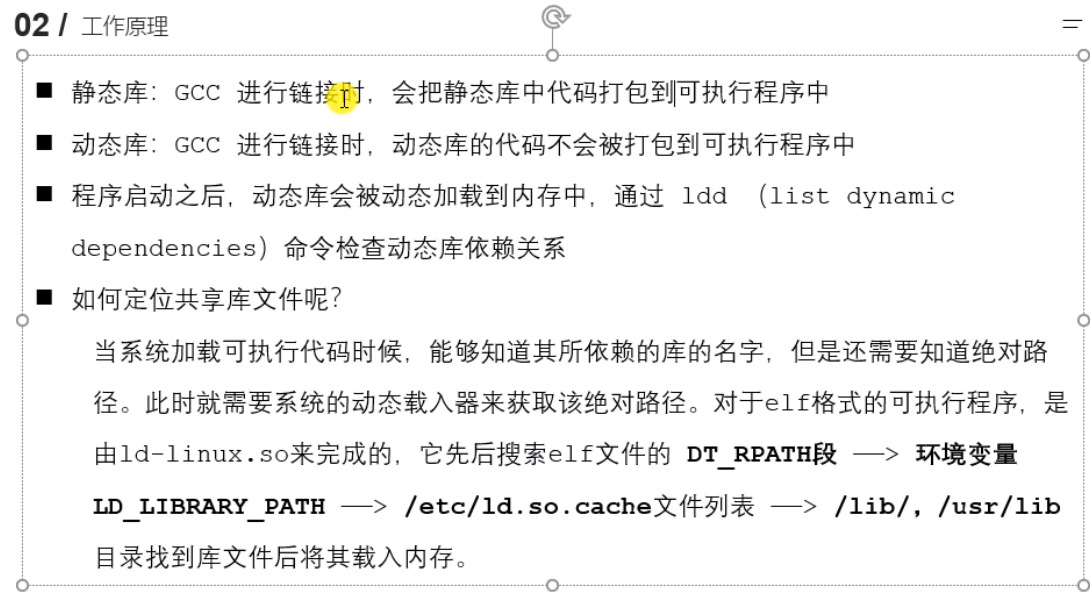

输入env输出环境变量
解决方法1

$ 原有变量 :增加新变量
此时仅在会话级别可行,新开会话不可行。
解决方法2,用户级别配置,根目录~下

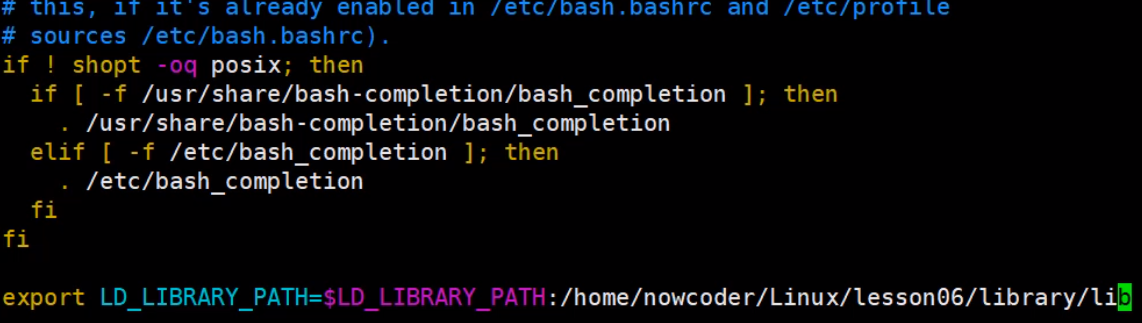

使其生效
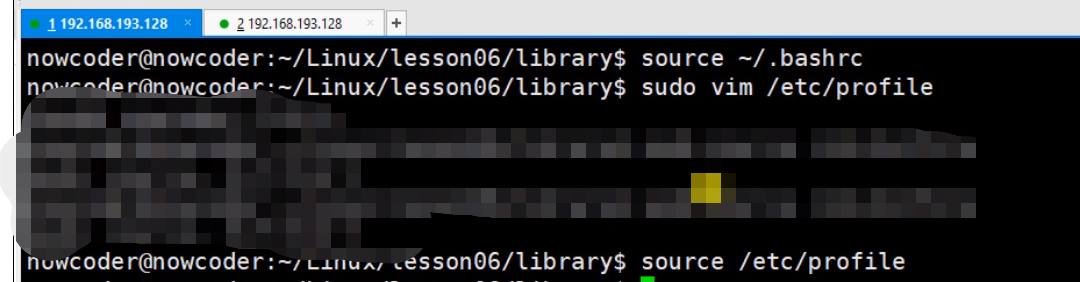
最后一样
方法4:修改/etc/ld.so.cache文件列表 里面是二进制数据,需要间接修改
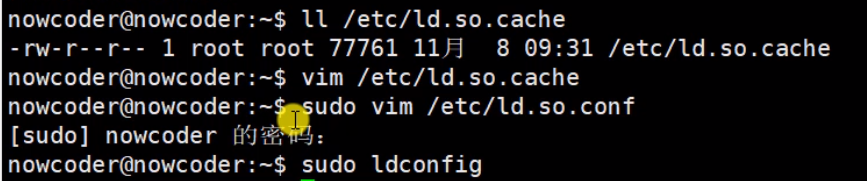
sudo vim /etc/ld.so.conf

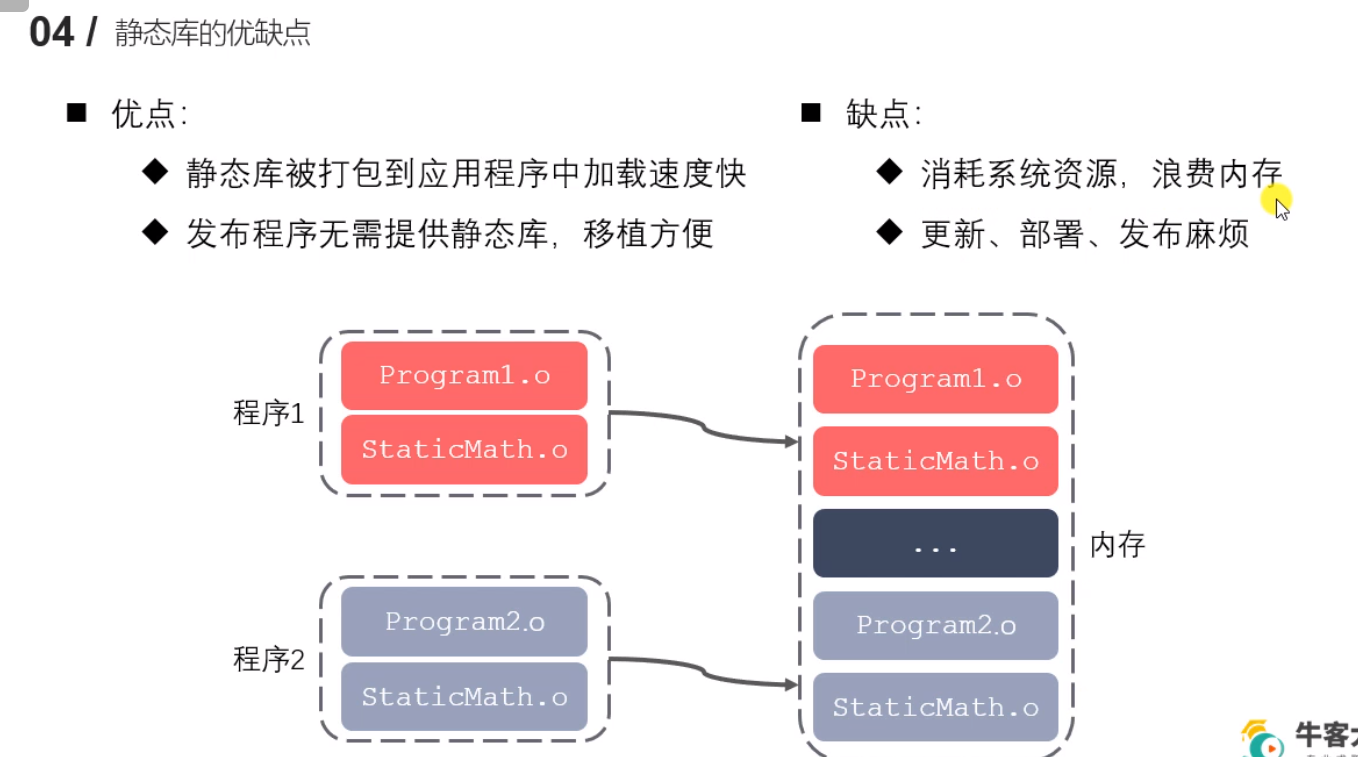
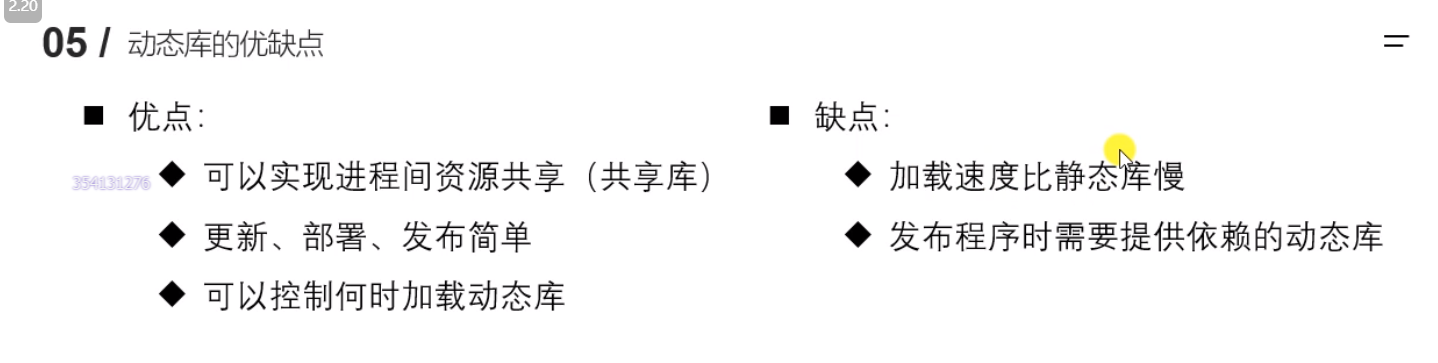
动态库和静态库的优缺点
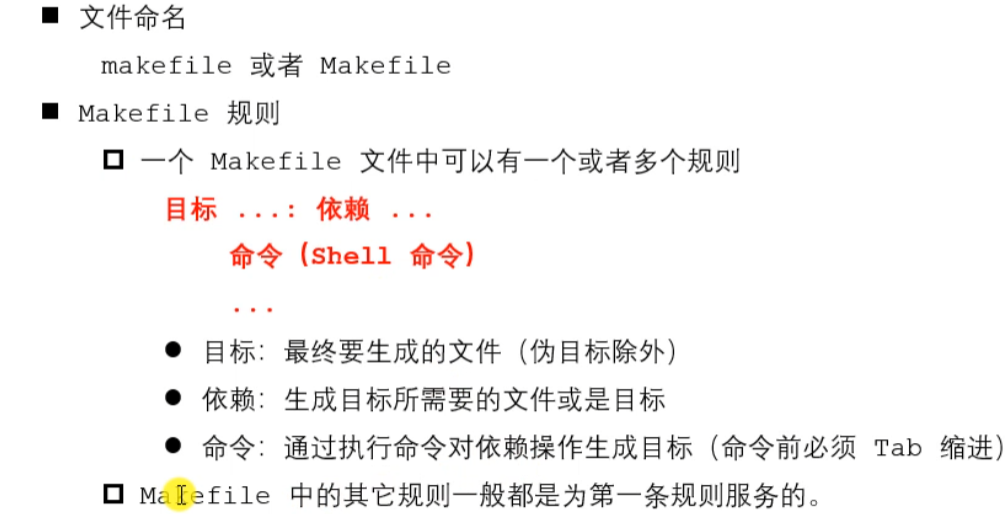
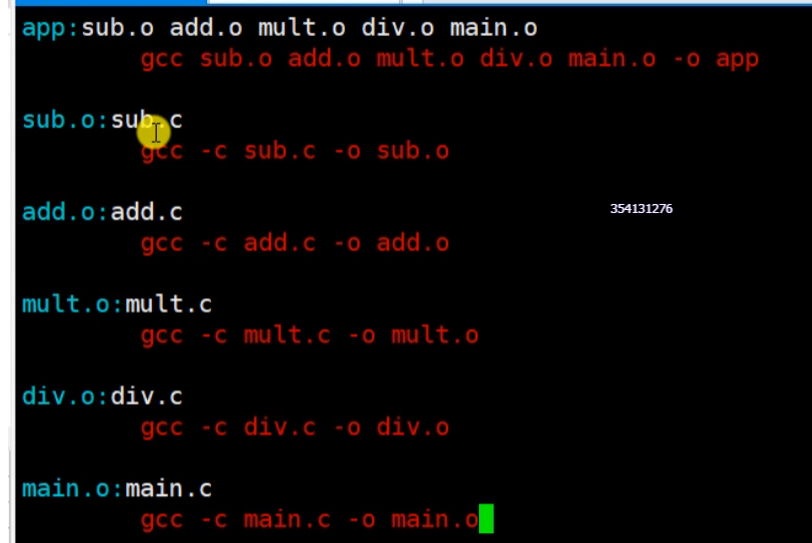
1.10 makefile
在项目src文件夹下make指令


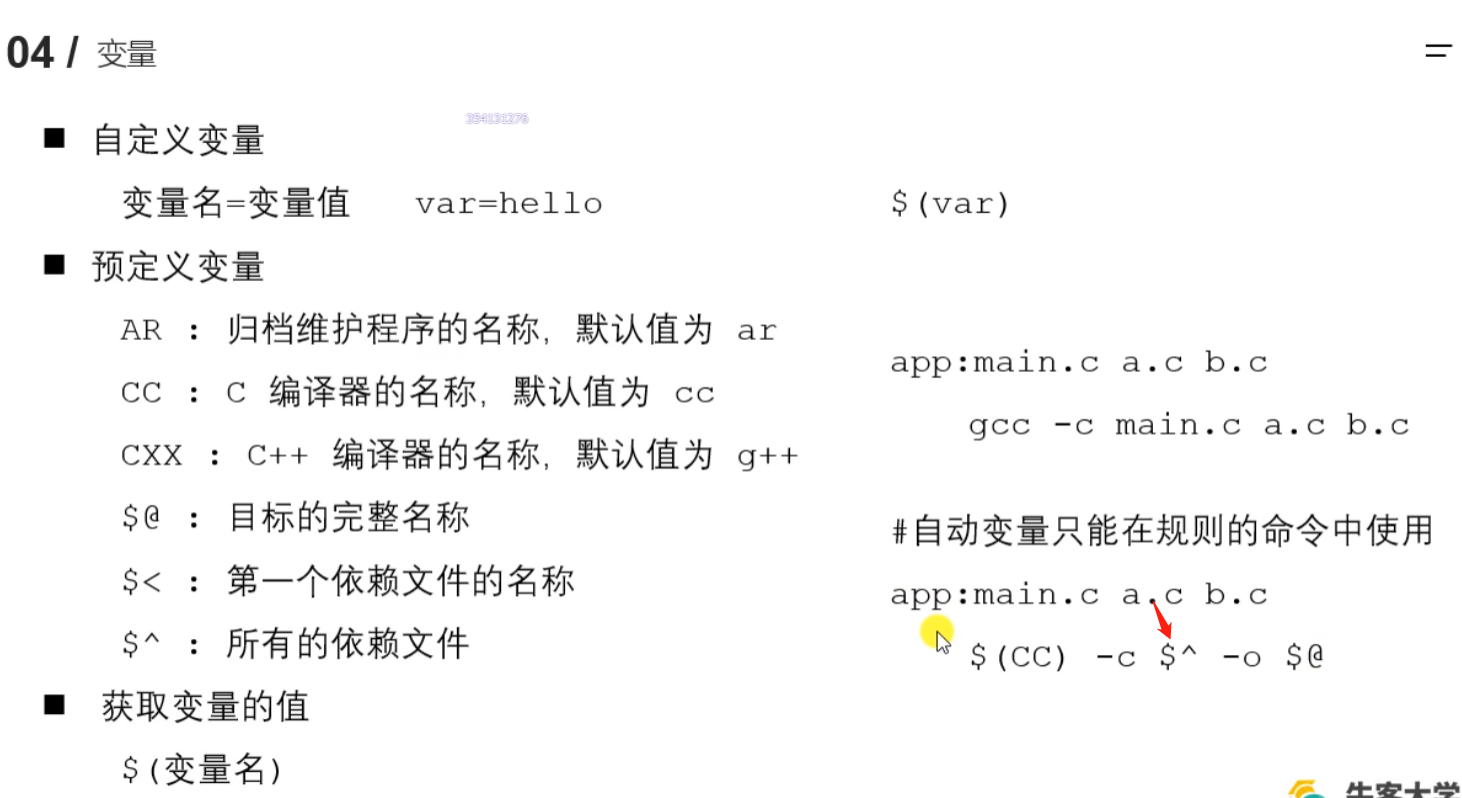
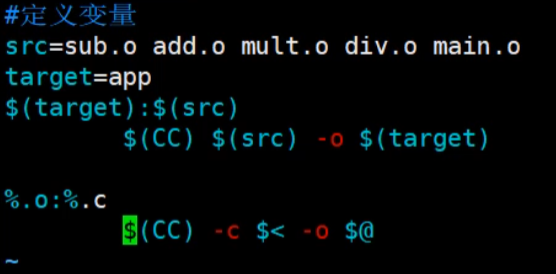
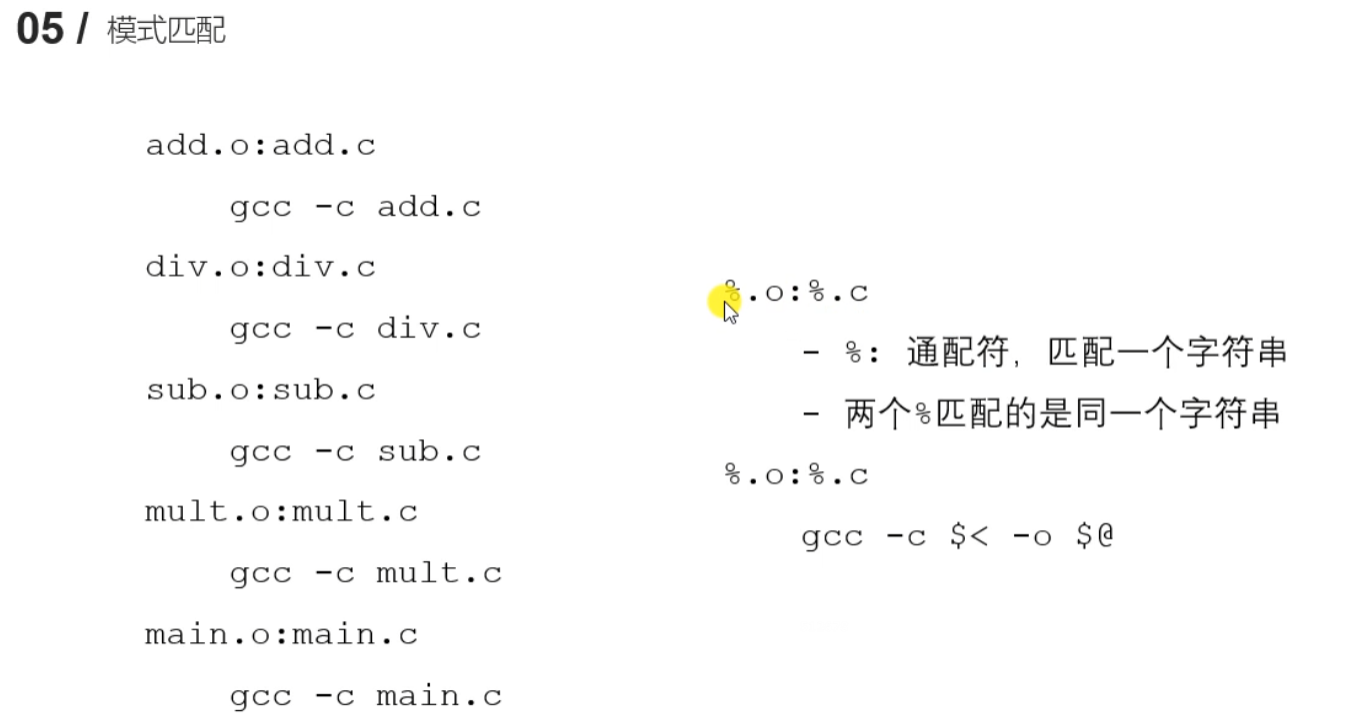
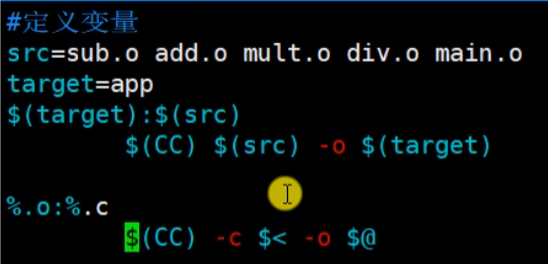
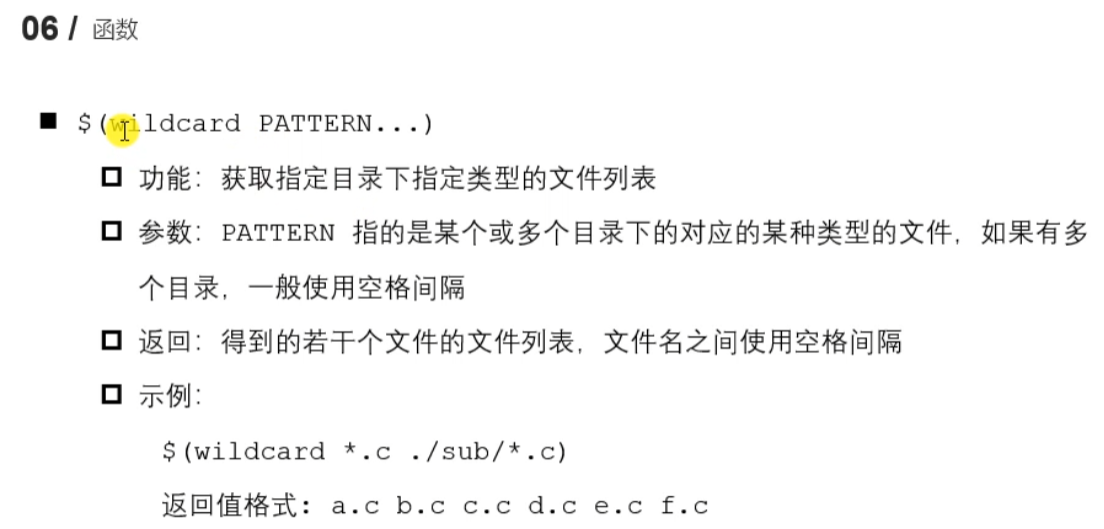
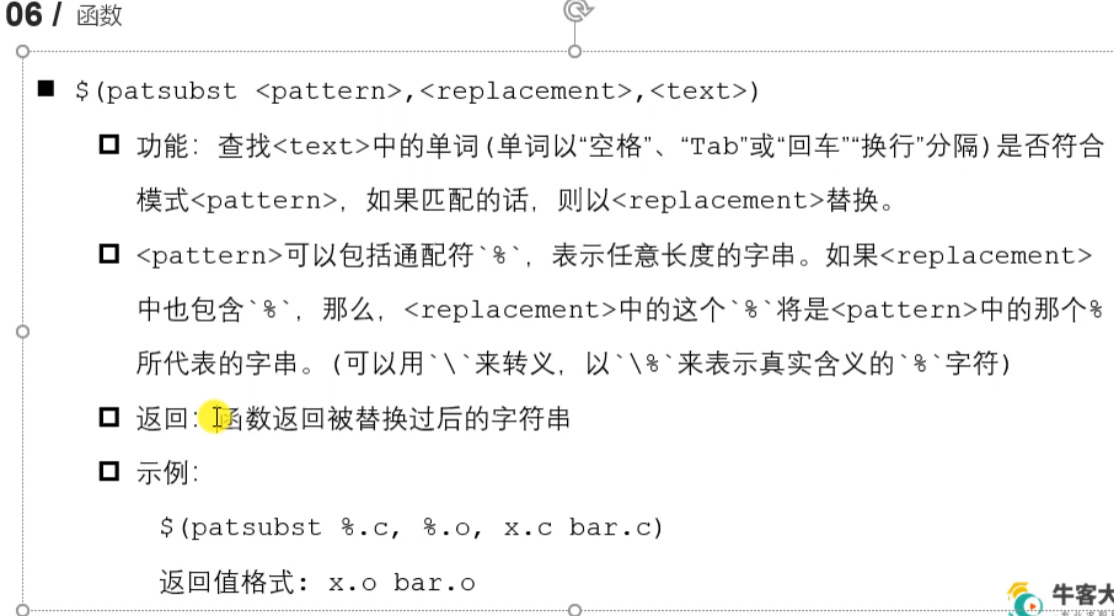
删除依赖 make clean
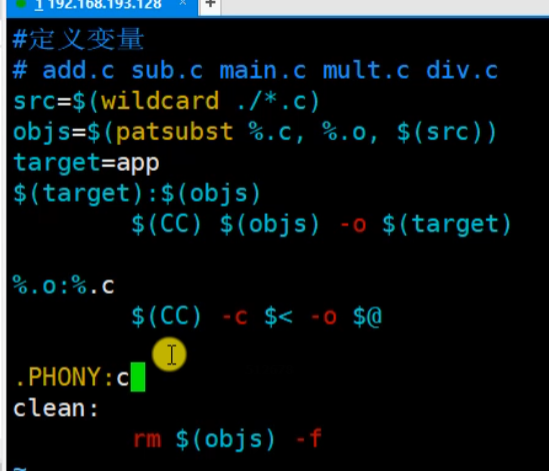
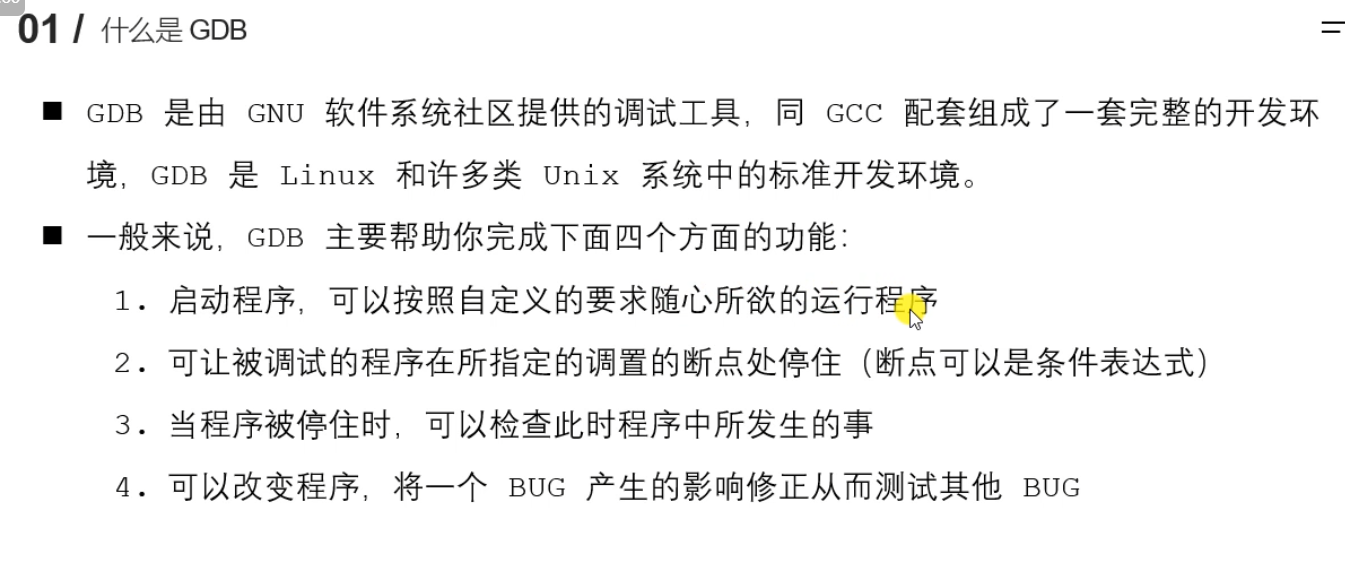
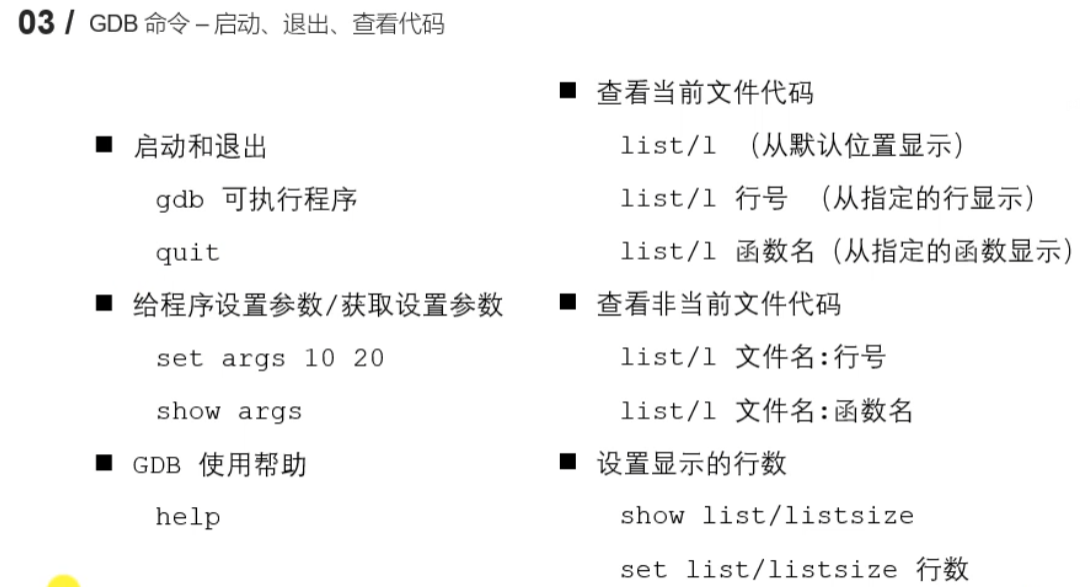
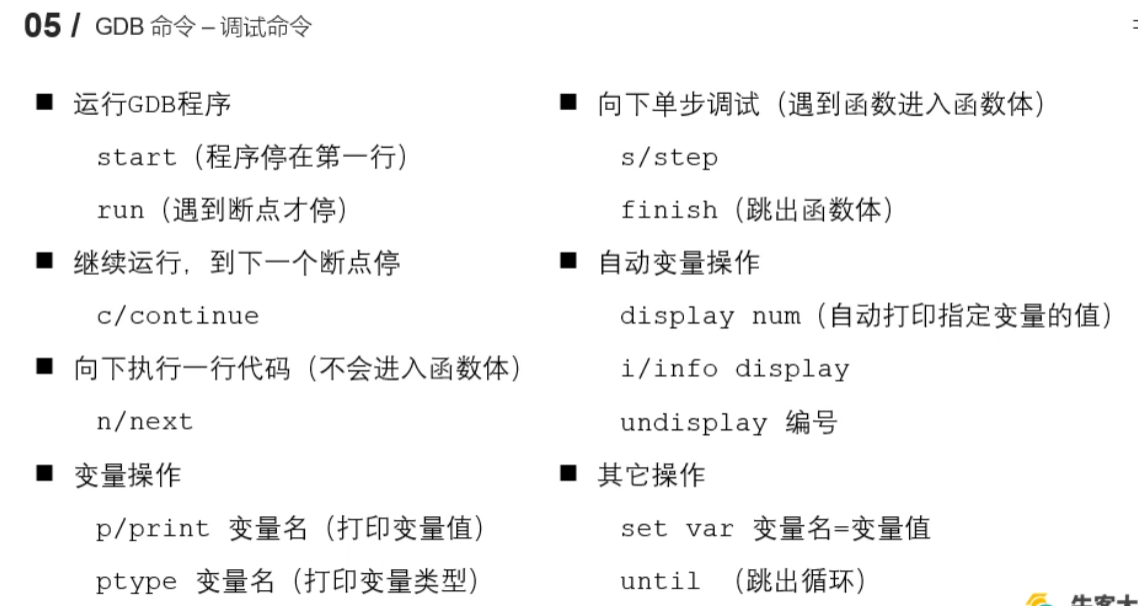
1.13 GDB调试
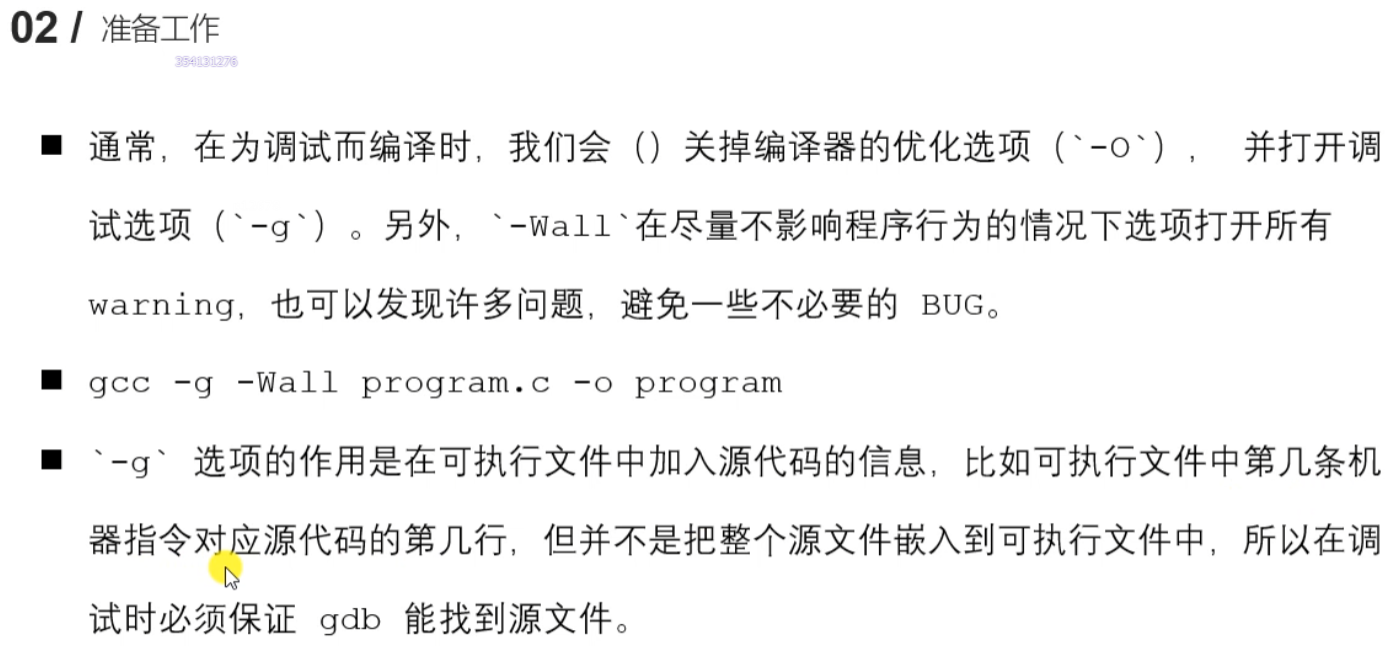
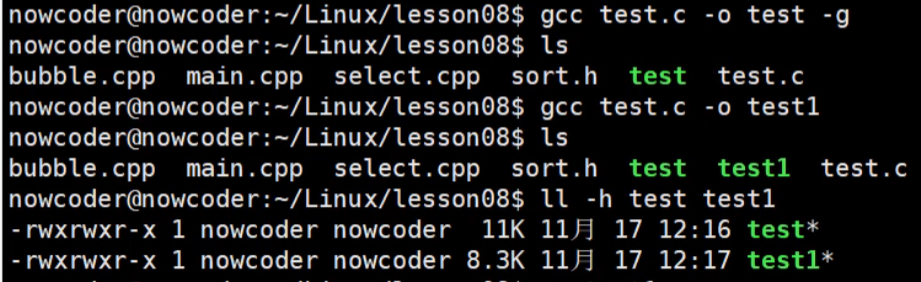
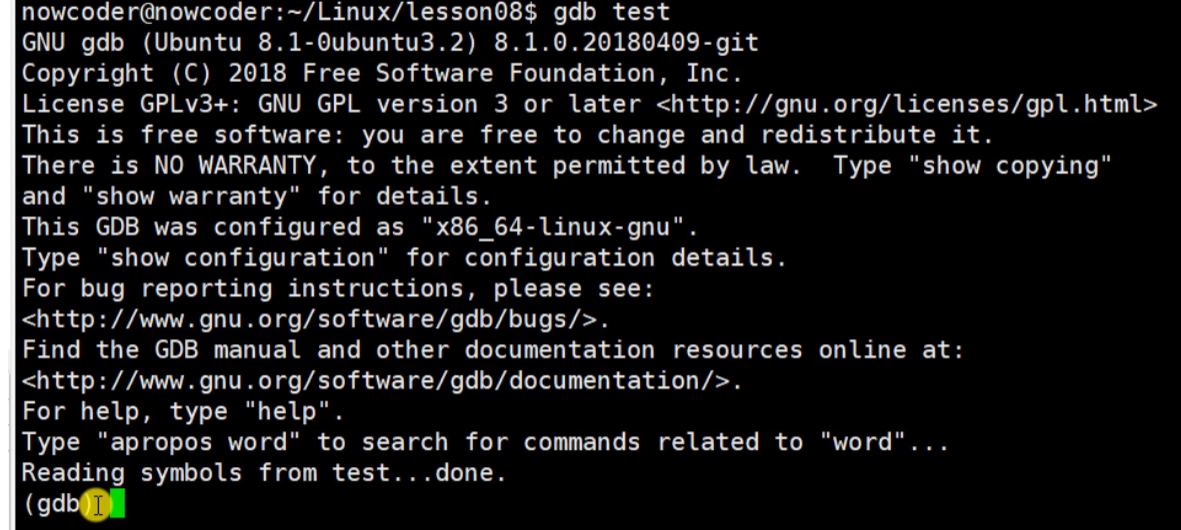
没加调试信息就小点。
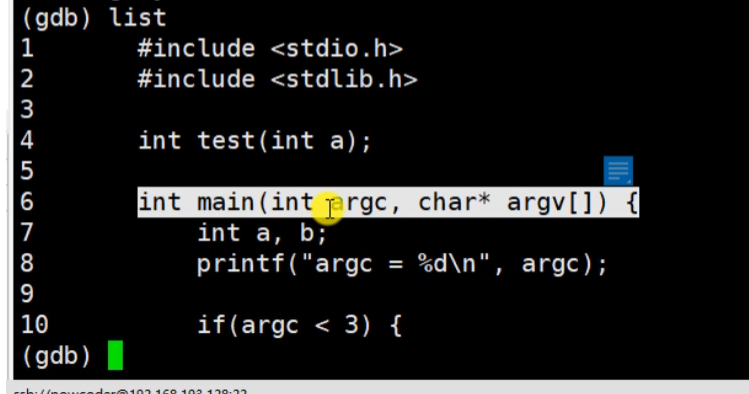
输入list,显示10行
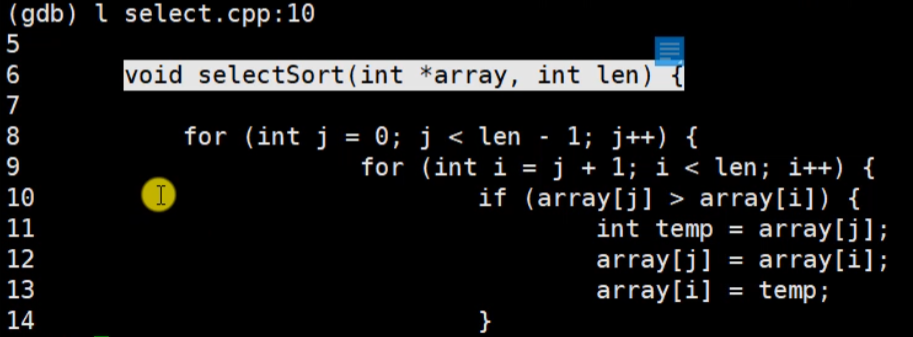
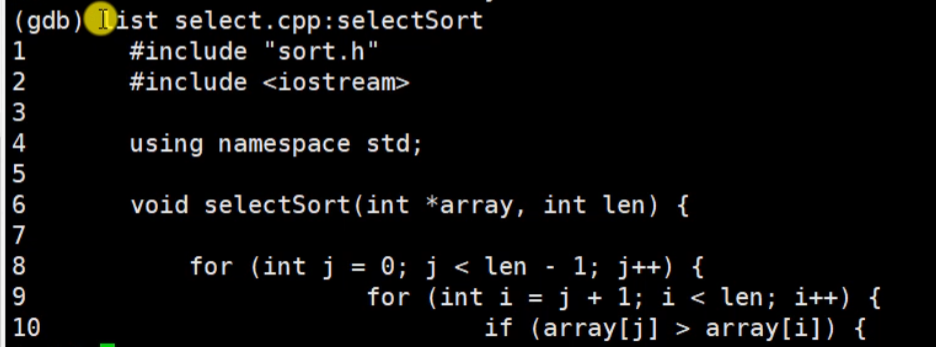
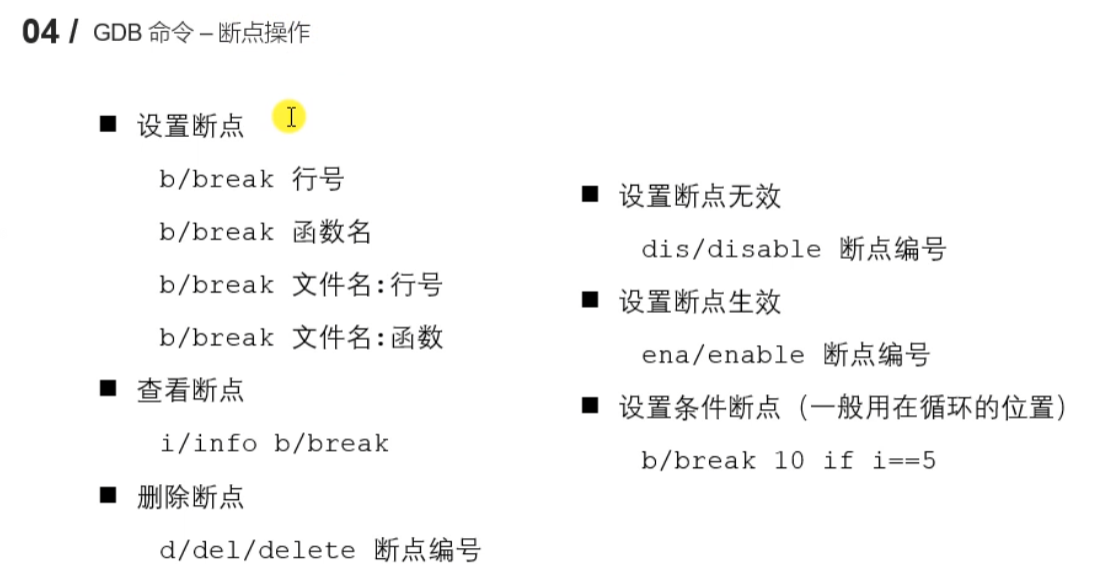
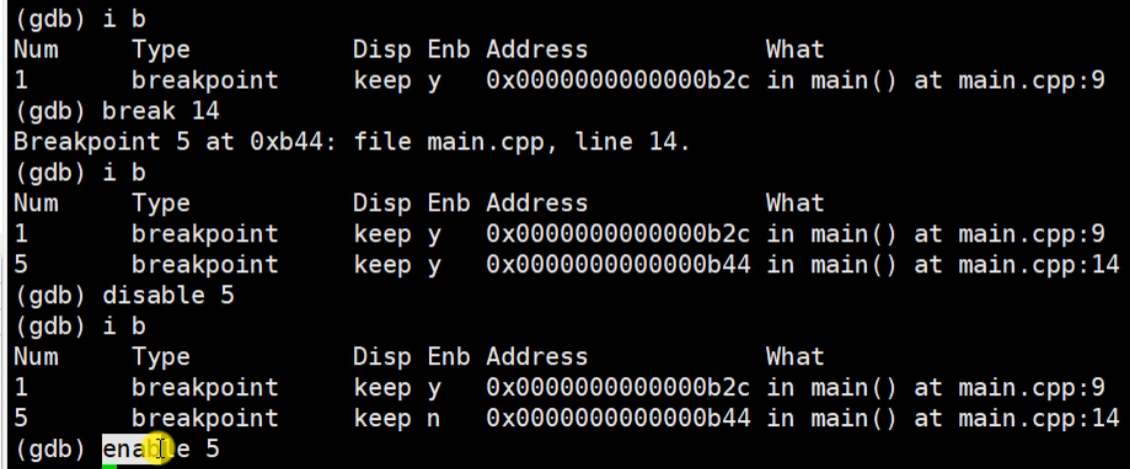
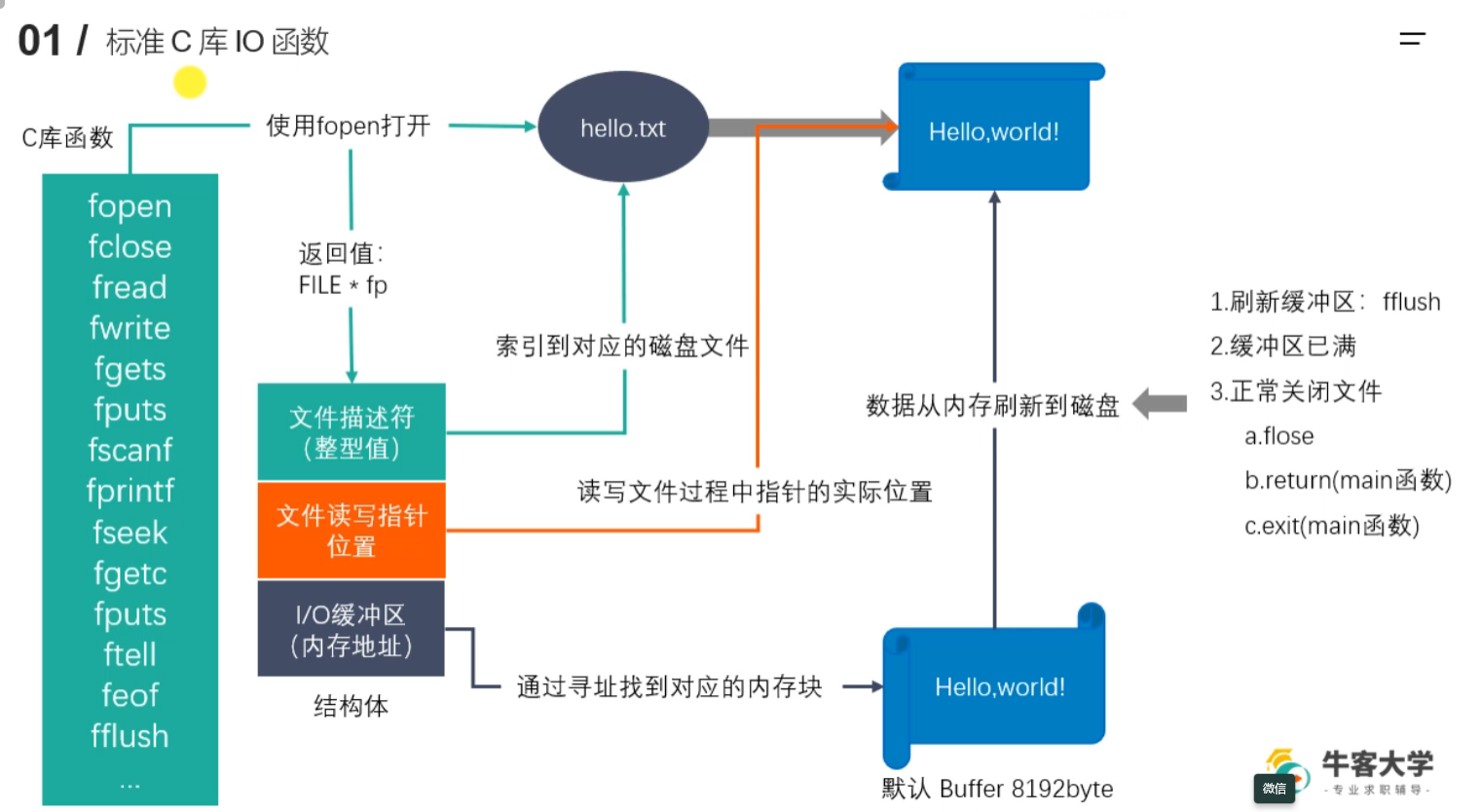
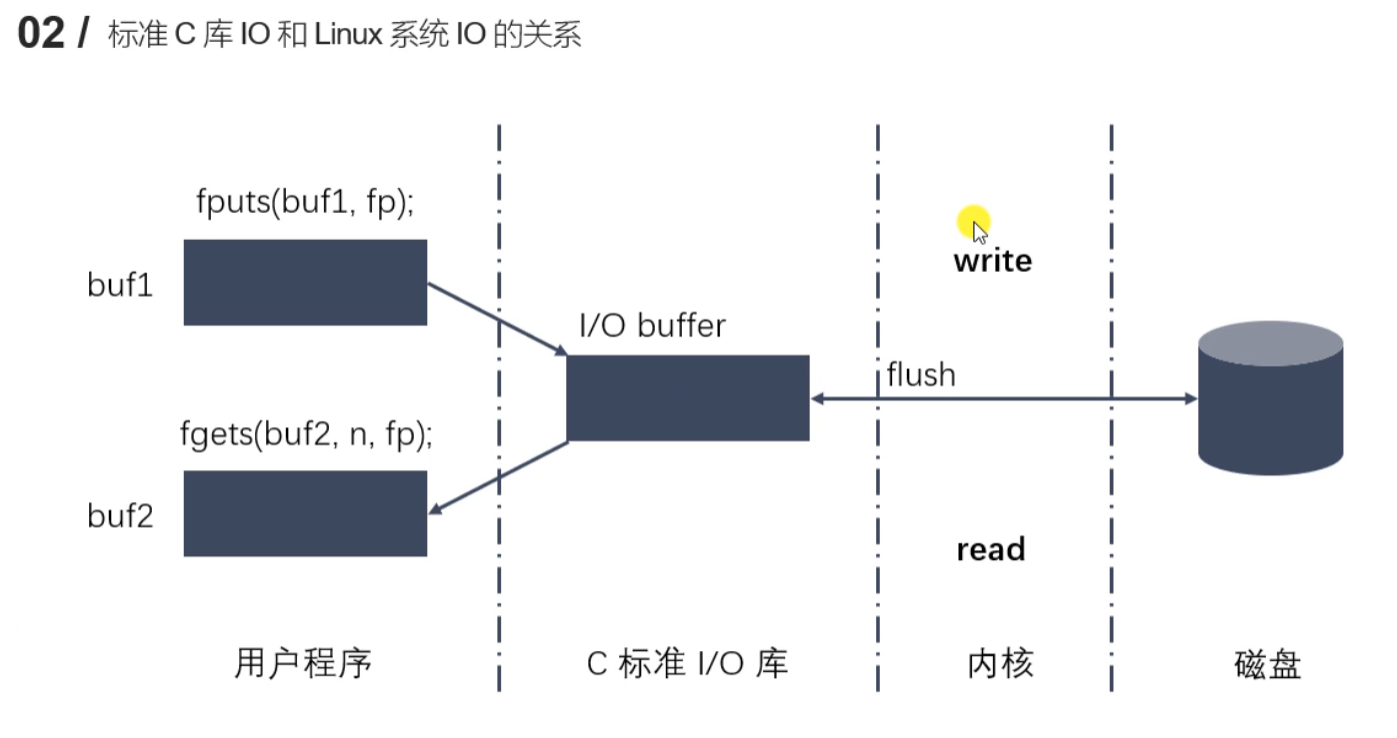
1.17 文件IO
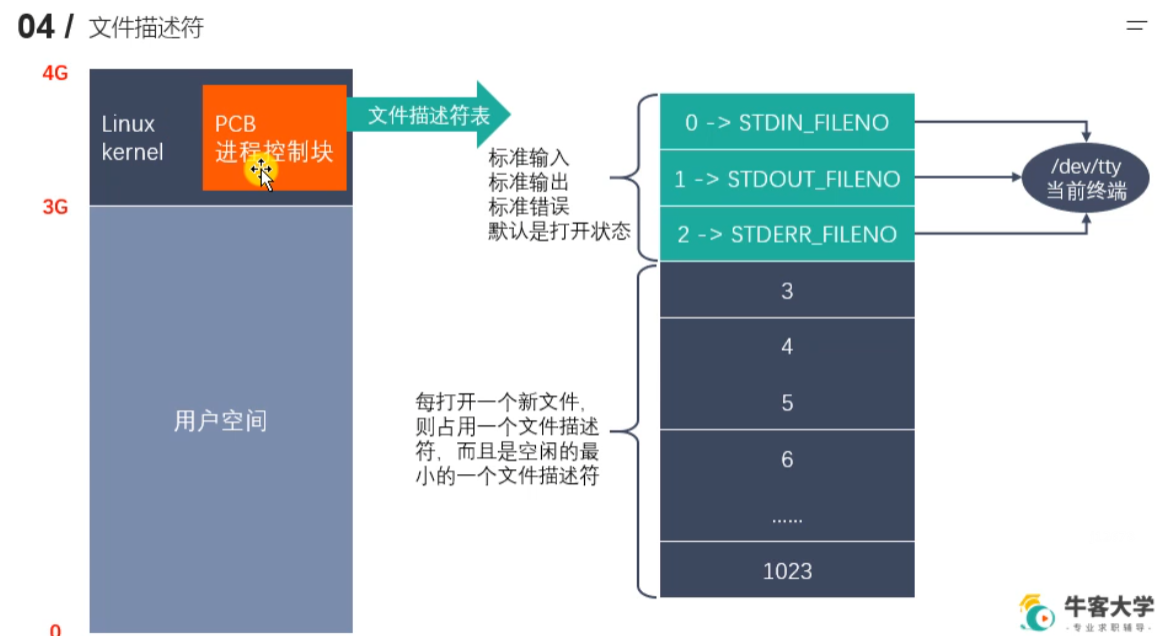
1.20 open 打开文件
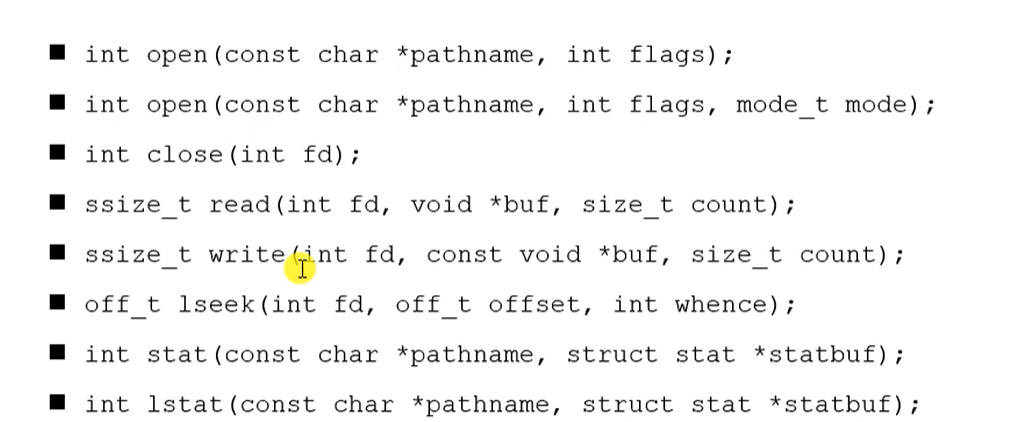
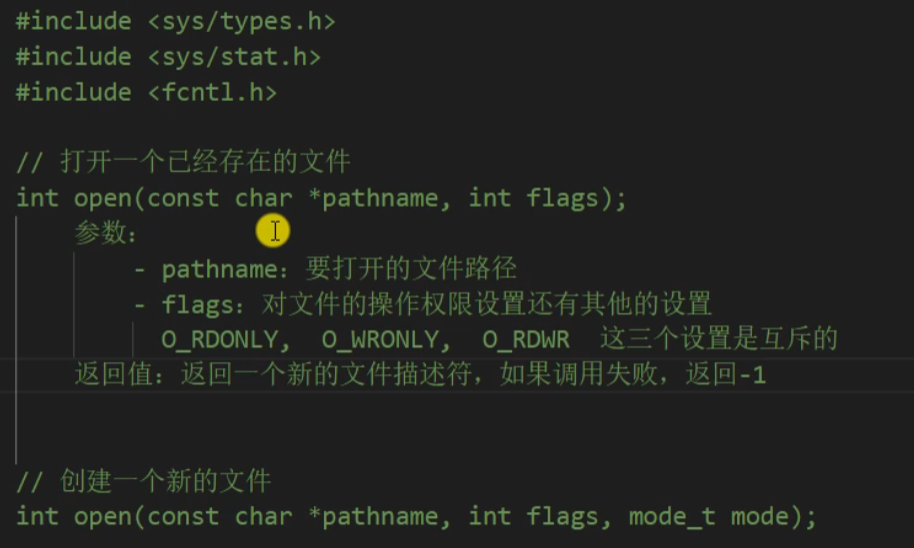
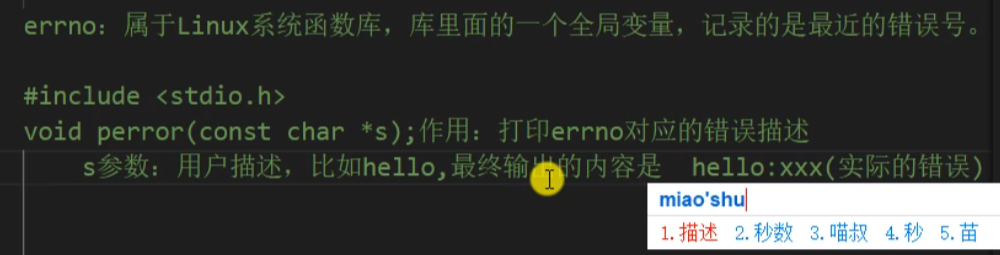
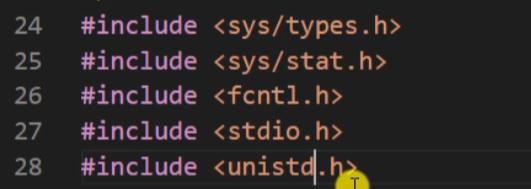
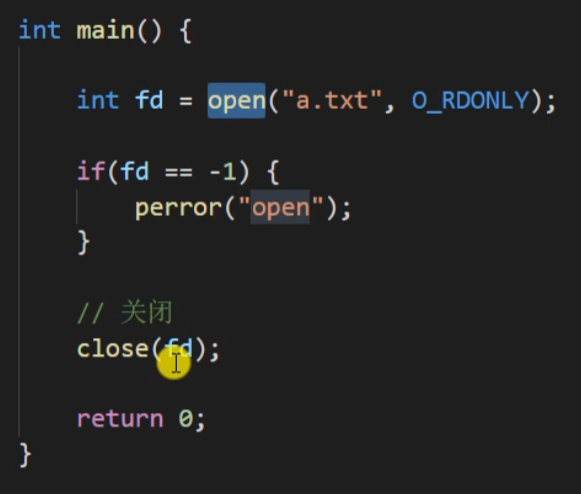
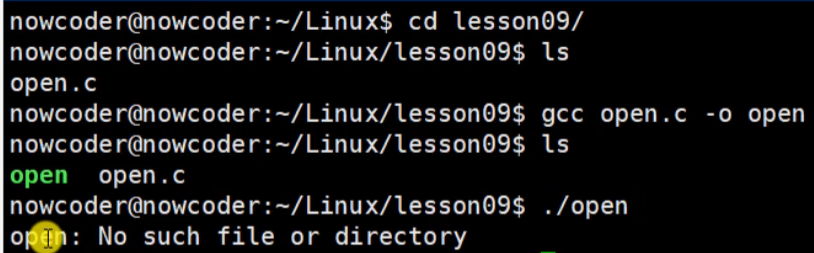
三参数的open函数
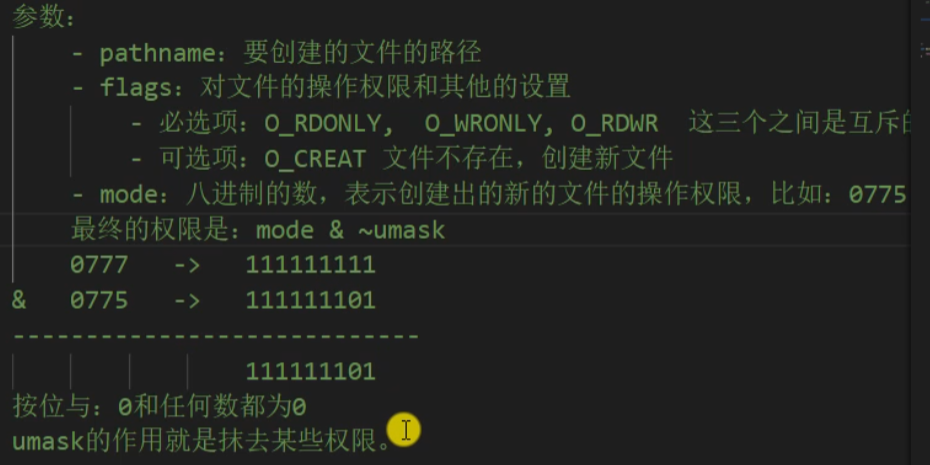
rwx read/write/执行权限
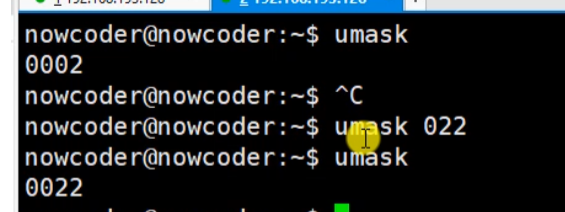
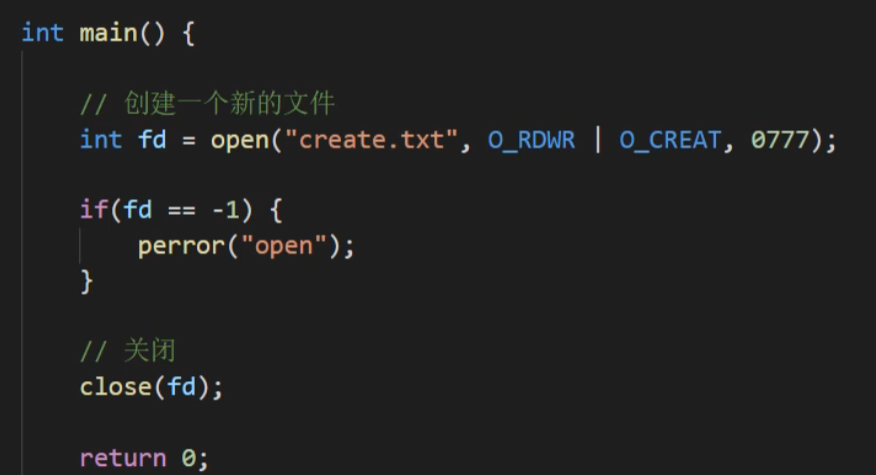
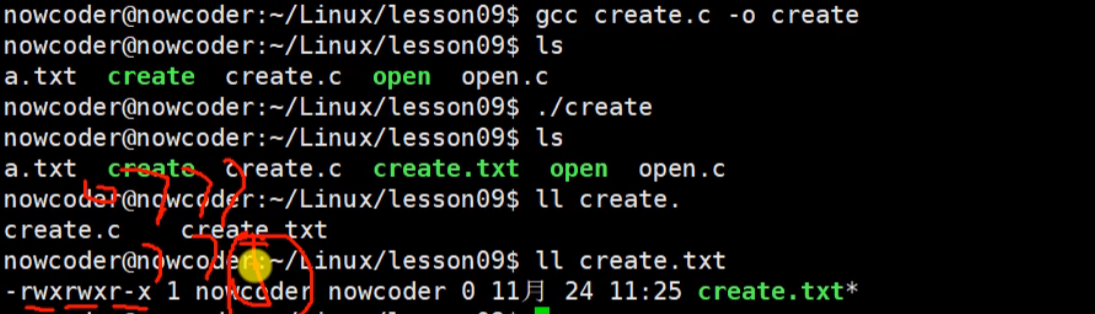
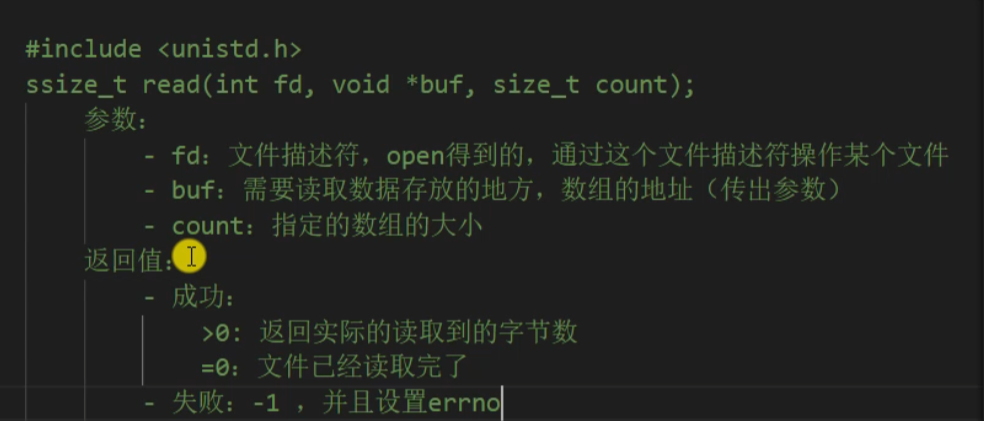
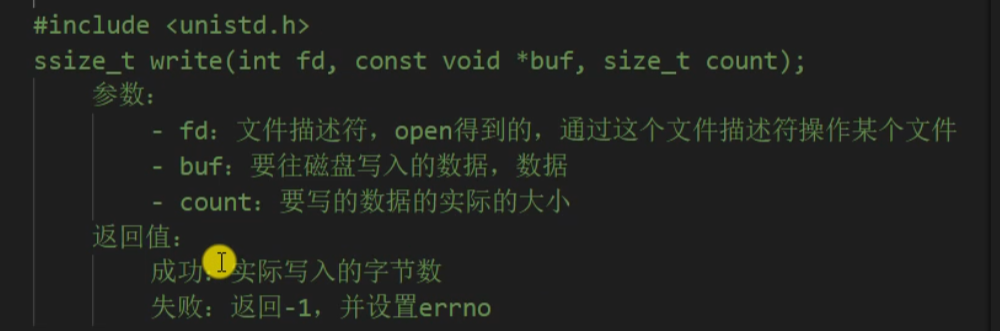
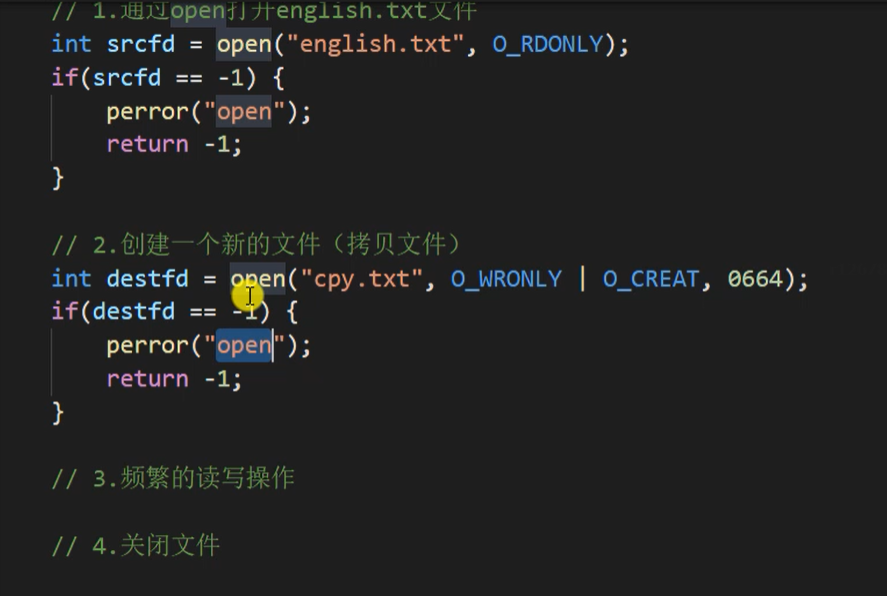
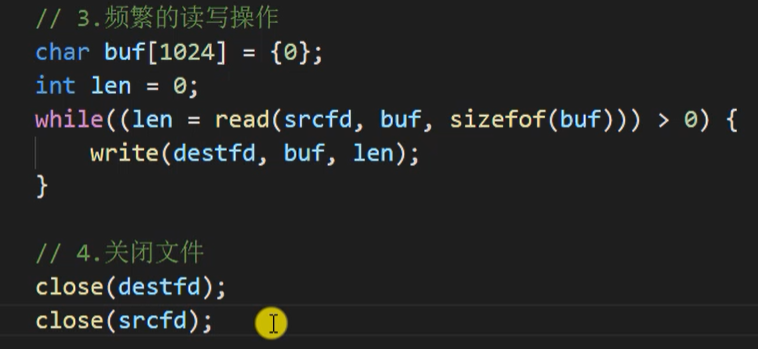
1.22 read write函数
1.23 lseek函数
用来重新定位文件读写的位移
#include <sys/types.h>
#include <sys/stat.h>
#include <fcntl.h>
#include <unistd.h>
#include <stdio.h>
int main() {
int fd = open("hello.txt", O_RDWR);
if(fd == -1) {
perror("open");
return -1;
}
int ret = lseek(fd, 100, SEEK_END);
if(ret == -1) {
perror("lseek");
return -1;
}
write(fd, " ", 1);
close(fd);
return 0;
}
|
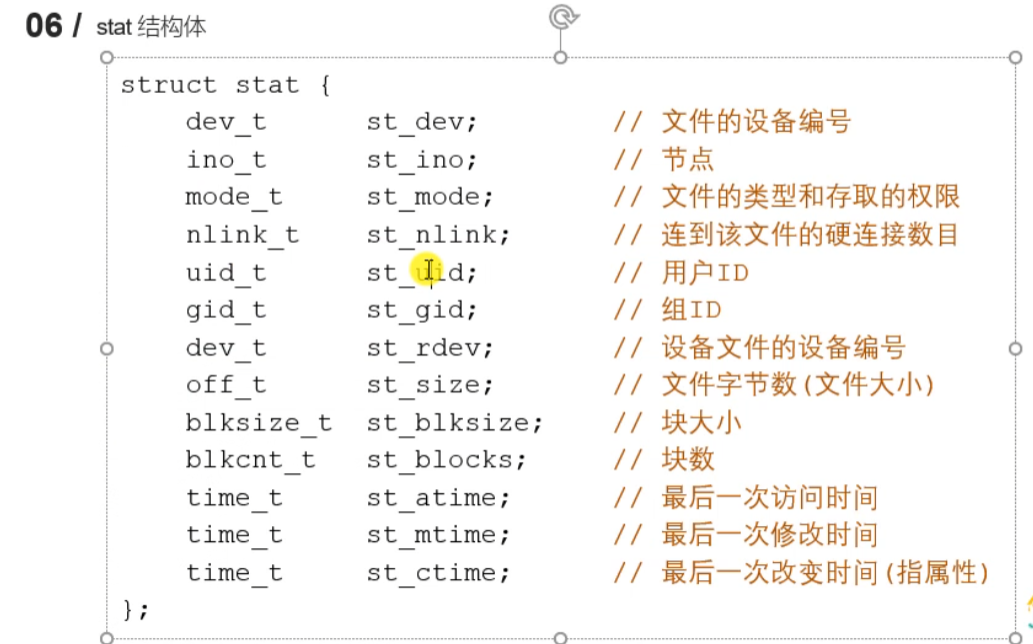
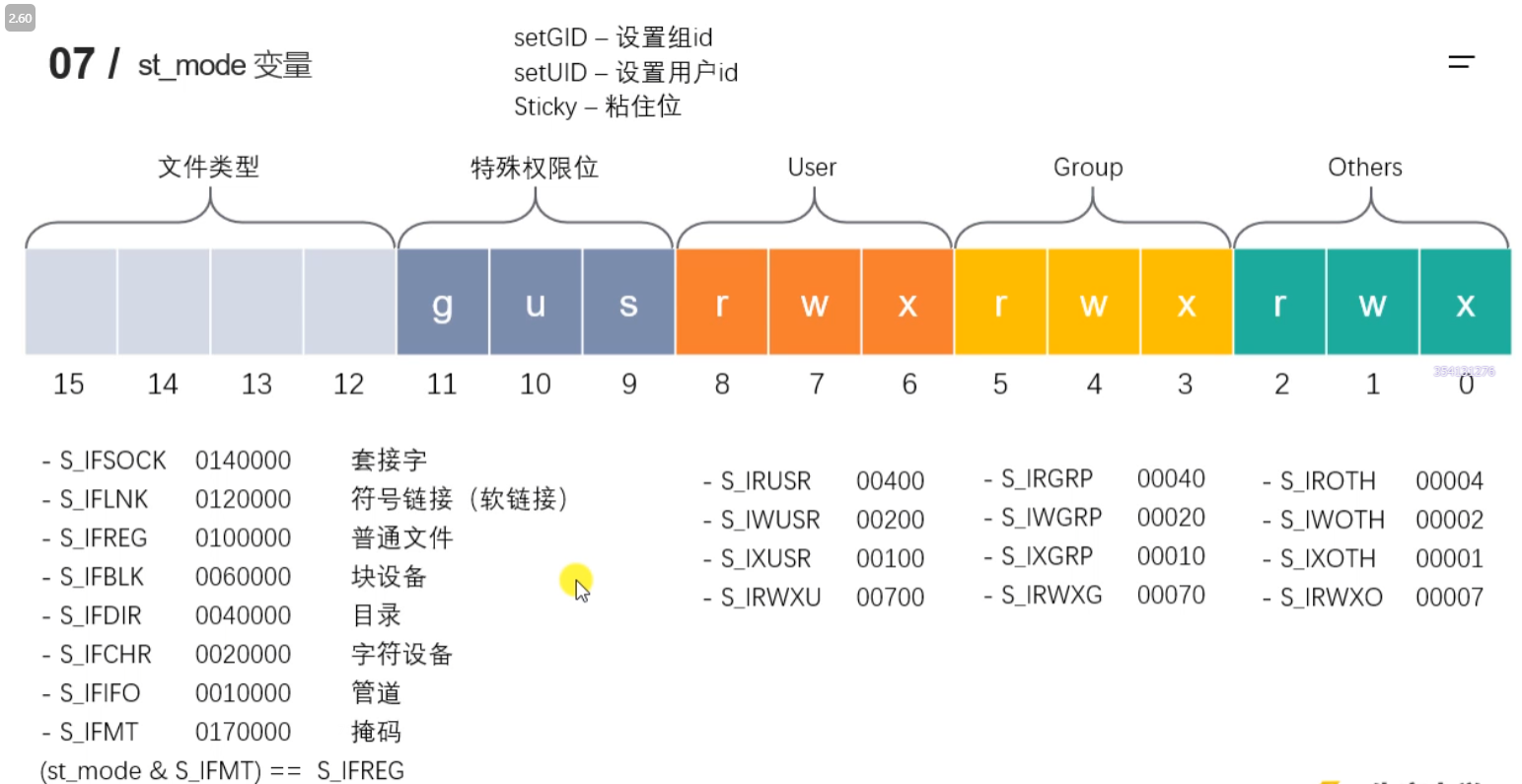
1.24 stat lstat
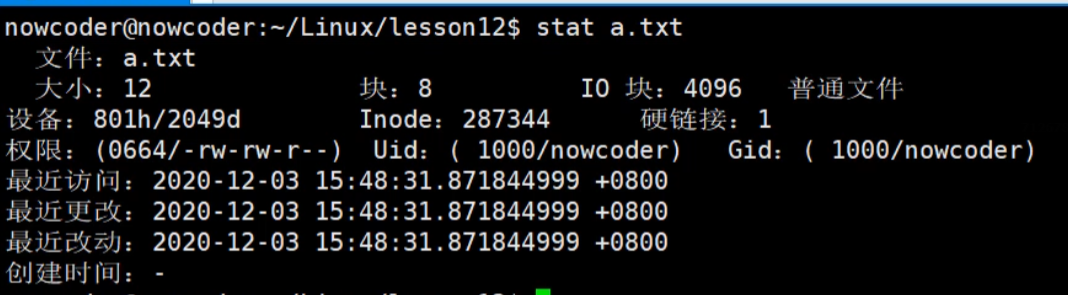
获取一个文件相关的一些信息
#include <sys/types.h>
#include <sys/stat.h>
#include <unistd.h>
#include <stdio.h>
int main() {
struct stat statbuf;
int ret = stat("a.txt", &statbuf);
if(ret == -1) {
perror("stat");
return -1;
}
printf("size: %ld\n", statbuf.st_size);
return 0;
}
|
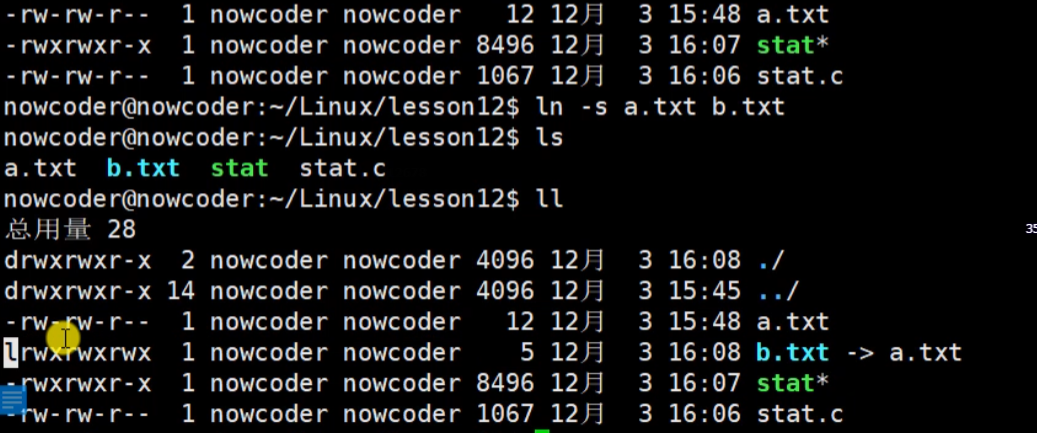
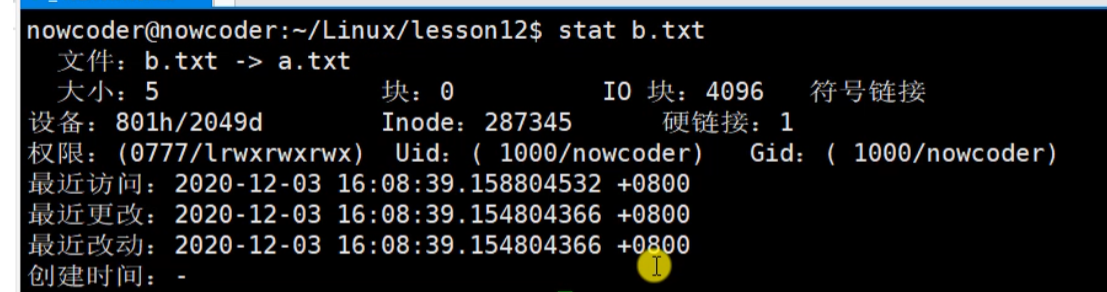
lstat 获取软连接信息,而stat会获取指向文件的信息
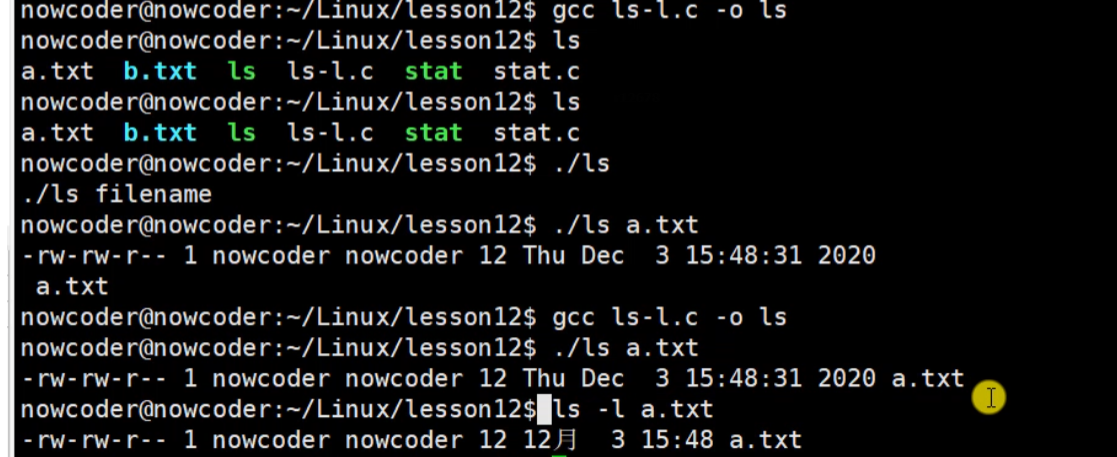
1.25 模拟实现ls -l 命令
想实现下图功能
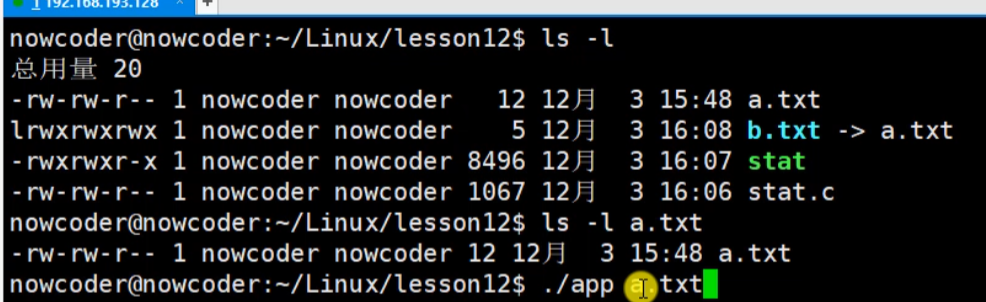
获取文件类型和文件权限

#include <stdio.h>
#include <sys/types.h>
#include <sys/stat.h>
#include <unistd.h>
#include <pwd.h>
#include <grp.h>
#include <time.h>
#include <string.h>
int main(int argc, char * argv[]) {
if(argc < 2) {
printf("%s filename\n", argv[0]);
return -1;
}
struct stat st;
int ret = stat(argv[1], &st);
if(ret == -1) {
perror("stat");
return -1;
}
char perms[11] = {0};
switch(st.st_mode & S_IFMT) {
case S_IFLNK:
perms[0] = 'l';
break;
case S_IFDIR:
perms[0] = 'd';
break;
case S_IFREG:
perms[0] = '-';
break;
case S_IFBLK:
perms[0] = 'b';
break;
case S_IFCHR:
perms[0] = 'c';
break;
case S_IFSOCK:
perms[0] = 's';
break;
case S_IFIFO:
perms[0] = 'p';
break;
default:
perms[0] = '?';
break;
}
perms[1] = (st.st_mode & S_IRUSR) ? 'r' : '-';
perms[2] = (st.st_mode & S_IWUSR) ? 'w' : '-';
perms[3] = (st.st_mode & S_IXUSR) ? 'x' : '-';
perms[4] = (st.st_mode & S_IRGRP) ? 'r' : '-';
perms[5] = (st.st_mode & S_IWGRP) ? 'w' : '-';
perms[6] = (st.st_mode & S_IXGRP) ? 'x' : '-';
perms[7] = (st.st_mode & S_IROTH) ? 'r' : '-';
perms[8] = (st.st_mode & S_IWOTH) ? 'w' : '-';
perms[9] = (st.st_mode & S_IXOTH) ? 'x' : '-';
int linkNum = st.st_nlink;
char * fileUser = getpwuid(st.st_uid)->pw_name;
char * fileGrp = getgrgid(st.st_gid)->gr_name;
long int fileSize = st.st_size;
char * time = ctime(&st.st_mtime);
char mtime[512] = {0};
strncpy(mtime, time, strlen(time) - 1);
char buf[1024];
sprintf(buf, "%s %d %s %s %ld %s %s", perms, linkNum, fileUser, fileGrp, fileSize, mtime, argv[1]);
printf("%s\n", buf);
return 0;
}
|
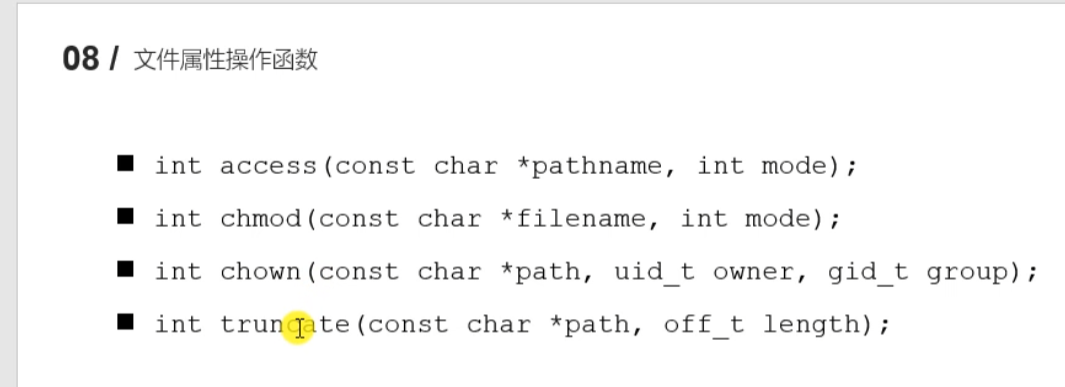
1.26 文件属性操作函数access/chmod/chown/truncate
#include <unistd.h>
#include <stdio.h>
int main() {
int ret = access("a.txt", F_OK);
if(ret == -1) {
perror("access");
}
printf("文件存在!!!\n");
return 0;
}
|
#include <sys/stat.h>
#include <stdio.h>
int main() {
int ret = chmod("a.txt", 0777);
if(ret == -1) {
perror("chmod");
return -1;
}
return 0;
}
|
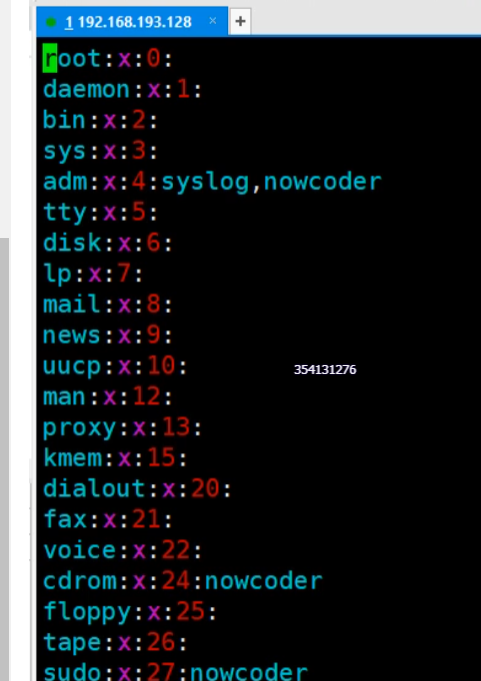
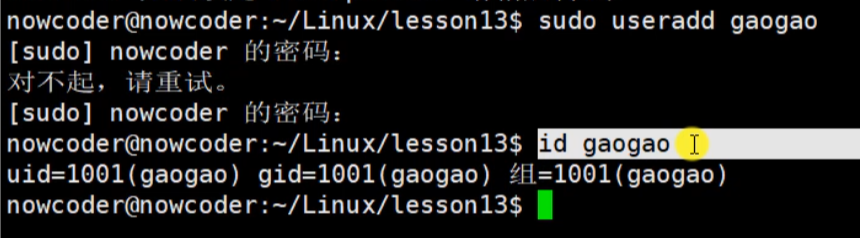
vim /etc/passwd
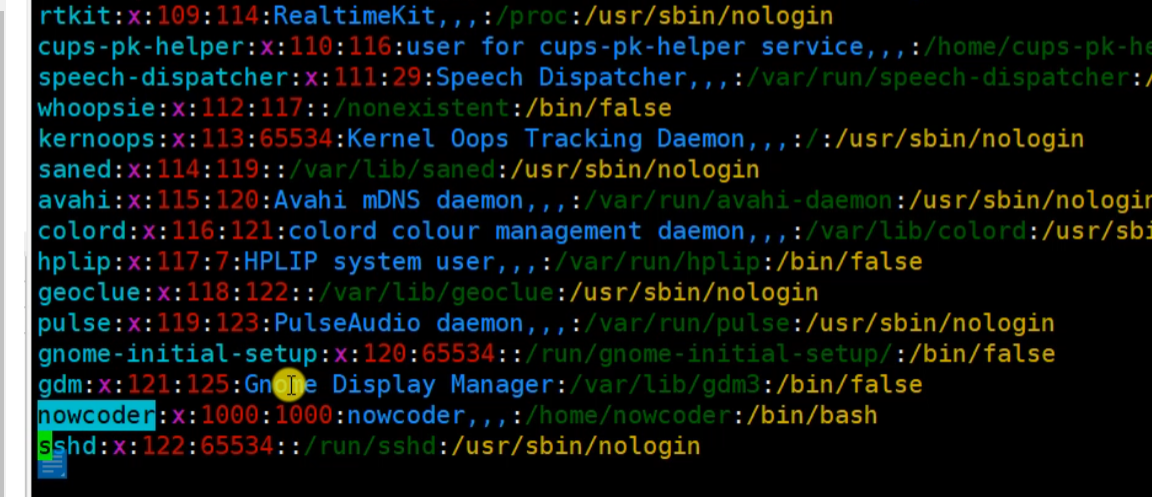
vim /etc/group
#include <unistd.h>
#include <sys/types.h>
#include <stdio.h>
int main() {
int ret = truncate("b.txt", 5);
if(ret == -1) {
perror("truncate");
return -1;
}
return 0;
}
|
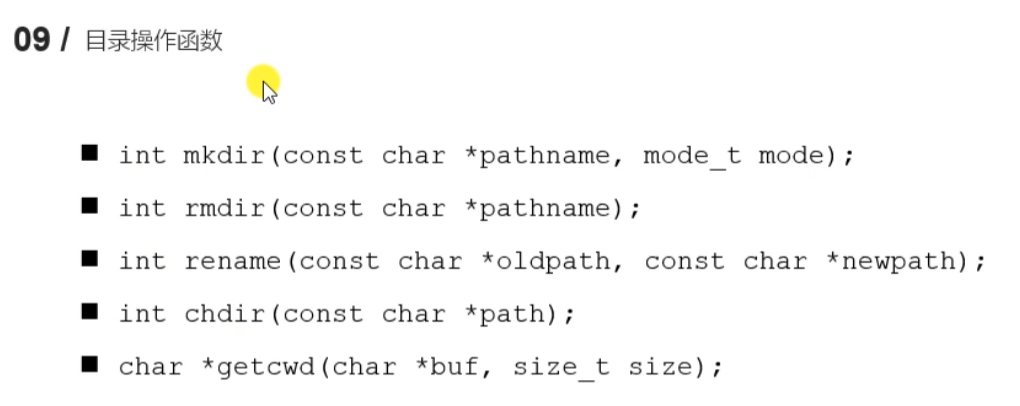
1.27 目录操作函数 mkdir等
#include <sys/stat.h>
#include <sys/types.h>
#include <stdio.h>
int main() {
int ret = mkdir("aaa", 0777);
if(ret == -1) {
perror("mkdir");
return -1;
}
return 0;
}
|
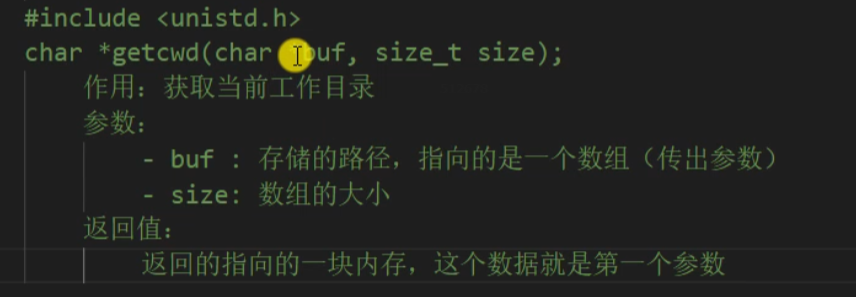
#include <unistd.h>
#include <stdio.h>
#include <sys/stat.h>
#include <sys/types.h>
#include <fcntl.h>
int main() {
char buf[128];
getcwd(buf, sizeof(buf));
printf("当前的工作目录是:%s\n", buf);
int ret = chdir("/home/nowcoder/Linux/lesson13");
if(ret == -1) {
perror("chdir");
return -1;
}
int fd = open("chdir.txt", O_CREAT | O_RDWR, 0664);
if(fd == -1) {
perror("open");
return -1;
}
close(fd);
char buf1[128];
getcwd(buf1, sizeof(buf1));
printf("当前的工作目录是:%s\n", buf1);
return 0;
}
|
#include <stdio.h>
int main() {
int ret = rename("aaa", "bbb");
if(ret == -1) {
perror("rename");
return -1;
}
return 0;
}
|
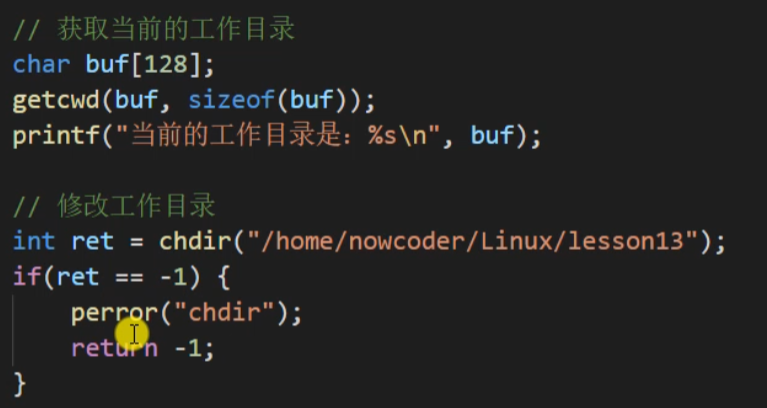
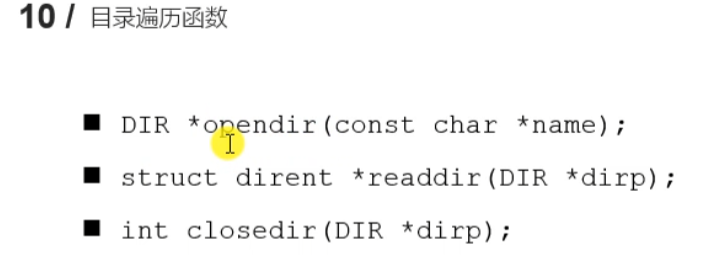
1.28 目录遍历函数opendir/readdir/closedir
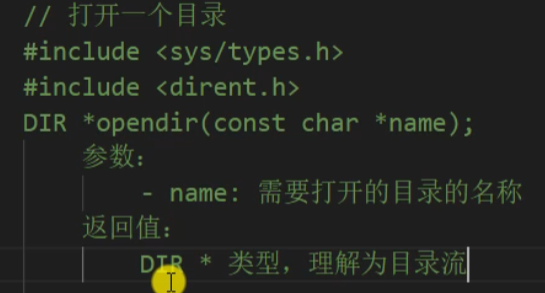
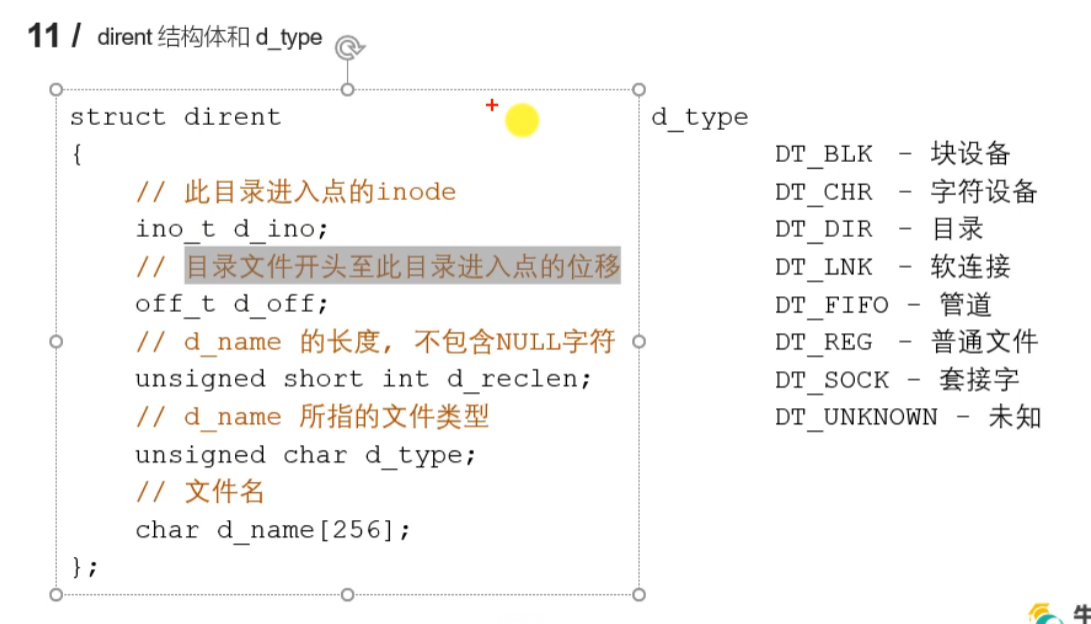
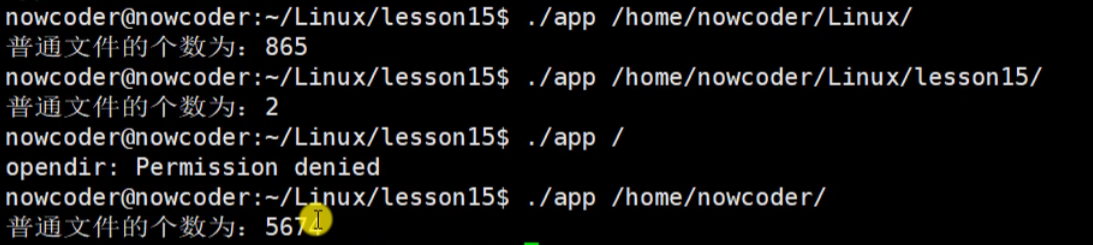
例子 读取某目录下所有的普通文件个数
#include <sys/types.h>
#include <dirent.h>
#include <stdio.h>
#include <string.h>
#include <stdlib.h>
int getFileNum(const char * path);
int main(int argc, char * argv[]) {
if(argc < 2) {
printf("%s path\n", argv[0]);
return -1;
}
int num = getFileNum(argv[1]);
printf("普通文件的个数为:%d\n", num);
return 0;
}
int getFileNum(const char * path) {
DIR * dir = opendir(path);
if(dir == NULL) {
perror("opendir");
exit(0);
}
struct dirent *ptr;
int total = 0;
while((ptr = readdir(dir)) != NULL) {
char * dname = ptr->d_name;
if(strcmp(dname, ".") == 0 || strcmp(dname, "..") == 0) {
continue;
}
if(ptr->d_type == DT_DIR) {
char newpath[256];
sprintf(newpath, "%s/%s", path, dname);
total += getFileNum(newpath);
}
if(ptr->d_type == DT_REG) {
total++;
}
}
closedir(dir);
return total;
}
|
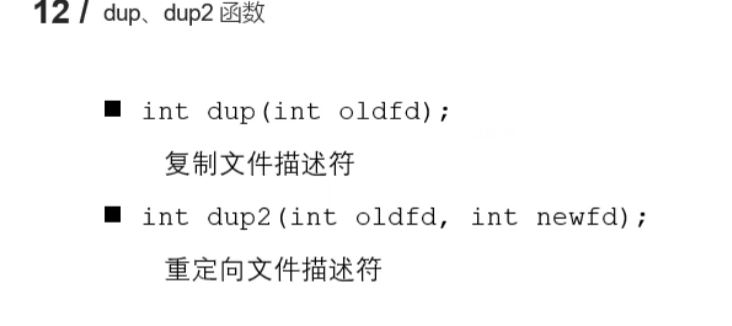
1.29 dup函数
复制文件描述符
#include <unistd.h>
#include <stdio.h>
#include <fcntl.h>
#include <sys/types.h>
#include <sys/stat.h>
#include <string.h>
int main() {
int fd = open("a.txt", O_RDWR | O_CREAT, 0664);
int fd1 = dup(fd);
if(fd1 == -1) {
perror("dup");
return -1;
}
printf("fd : %d , fd1 : %d\n", fd, fd1);
close(fd);
char * str = "hello,world";
int ret = write(fd1, str, strlen(str));
if(ret == -1) {
perror("write");
return -1;
}
close(fd1);
return 0;
}
|

#include <unistd.h>
#include <stdio.h>
#include <string.h>
#include <sys/stat.h>
#include <sys/types.h>
#include <fcntl.h>
int main() {
int fd = open("1.txt", O_RDWR | O_CREAT, 0664);
if(fd == -1) {
perror("open");
return -1;
}
int fd1 = open("2.txt", O_RDWR | O_CREAT, 0664);
if(fd1 == -1) {
perror("open");
return -1;
}
printf("fd : %d, fd1 : %d\n", fd, fd1);
int fd2 = dup2(fd, fd1);
if(fd2 == -1) {
perror("dup2");
return -1;
}
char * str = "hello, dup2";
int len = write(fd1, str, strlen(str));
if(len == -1) {
perror("write");
return -1;
}
printf("fd : %d, fd1 : %d, fd2 : %d\n", fd, fd1, fd2);
close(fd);
close(fd1);
return 0;
}
|

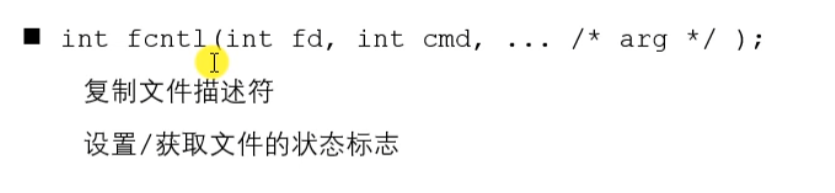
1.30 fcntl函数
#include <unistd.h>
#include <fcntl.h>
#include <stdio.h>
#include <string.h>
int main() {
int fd = open("1.txt", O_RDWR);
if(fd == -1) {
perror("open");
return -1;
}
int flag = fcntl(fd, F_GETFL);
if(flag == -1) {
perror("fcntl");
return -1;
}
flag |= O_APPEND;
int ret = fcntl(fd, F_SETFL, flag);
if(ret == -1) {
perror("fcntl");
return -1;
}
char * str = "nihao";
write(fd, str, strlen(str));
close(fd);
return 0;
}
|